
The Marketing plan is a checklist of the most important SEO tasks, from setting up Google Search Console to local SEO. You tick off what's done and keep notes on what happened. That way, everyone with access to the domain sees the same status.
Structure
In the sidebar, open Marketing plan. At the top you see Total tasks, Done with a progress bar and Open.
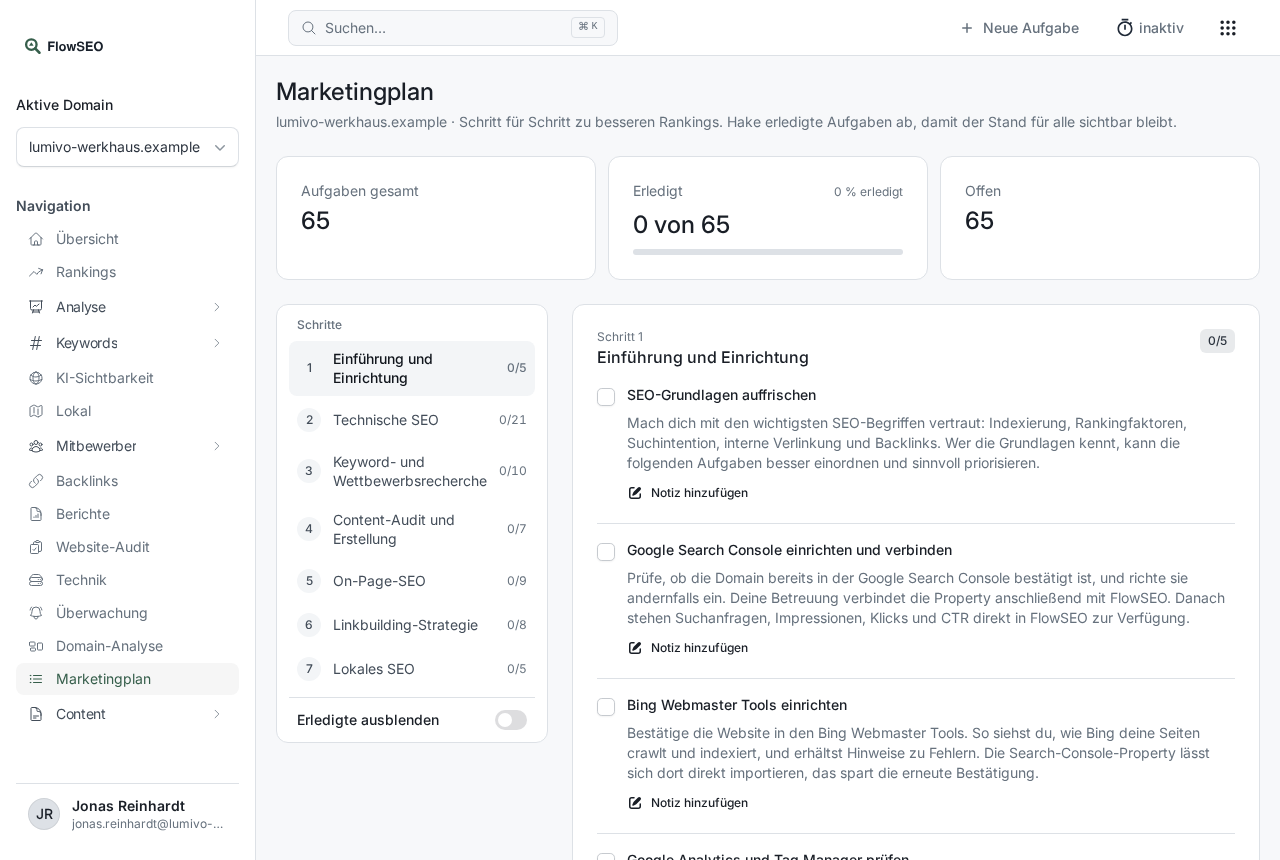
On the left, the tasks are divided into seven steps:
- Introduction and setup
- Technical SEO
- Keyword and competitor research
- Content audit and creation
- On-page SEO
- Link building strategy
- Local SEO
Next to each step you see how many of its tasks are done. Clicking a step jumps to its tasks. Each task has a short explanation of what to do and why.
Tick off tasks
- Click the box in front of a task. It's marked as done and crossed out.
- Below it you see who completed the task and when, for example Completed by Jana Petersen on 11/04/2026.
- If you made a mistake, click the box again. The task is then open again.
With Hide completed at the bottom of the step list, you only see what's still open.
Keep notes
Under a task, click Add note, write down what was done or what's still missing, and click Save note. Everyone with access to the domain sees the note, with the name and date of the last change. Edit note lets you change it, an empty field removes it.
Notes are good for agreements, for example: “Redirect for the old catalogue page has been ordered from the agency”.
How to work with it best
- Start with the technical side: Technical problems hold back even good content. That's why it pays to tackle step 2 early.
- Use FlowSEO's tools: For the technical points, the Website audit helps, for step 3 the Keyword research, for link building the Backlinks area.
- Connections: Some items, such as connecting Search Console to FlowSEO, are done in the domain settings. Tick them off once they're done.
- Let your agent tick things off: Your AI agent can also mark tasks as done and write notes.