
Links from spam sites, link farms or automatically generated domains do nothing for your website and need checking. That's why FlowSEO rates every stored backlink for toxicity and tells you which ones to look at. For an overview of the area, see Understanding backlinks and domain analysis.
The Backlink toxicity tile
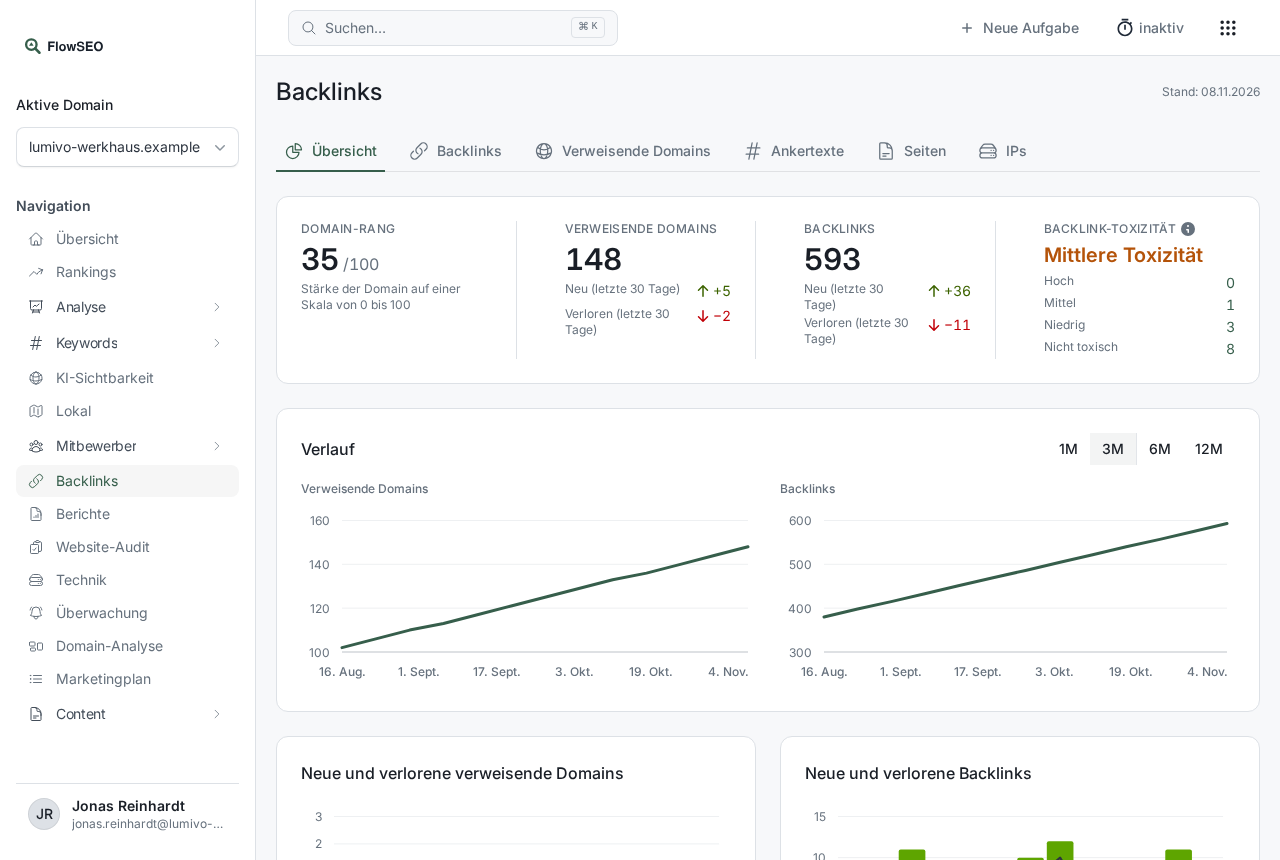
Open Backlinks in the left sidebar. In the Overview tab, the Backlink toxicity tile names the worst level found among your referring domains: High toxicity, Medium toxicity, Low toxicity or Not toxic. Even a single domain rated high results in High toxicity. How many domains fall into each level is shown below.
Clicking one of the numbers opens the Backlinks tab filtered to that level.
How the rating comes about
The basis is the spam score from the data provider. On top of that, FlowSEO adds points for each applicable signal, and the total gives a value of at most 100:
- High from 60 points: clear spam characteristics.
- Medium from 30 points: some warning signs.
- Low from 10 points: isolated oddities.
- Not toxic: below that.
A referring domain always gets the worst level of its links. The rating runs automatically after each fetch, and FlowSEO fetches backlinks once a month. If it says “The rating appears after the next fetch.”, nothing has been rated for your domain yet.
The reasons on a link
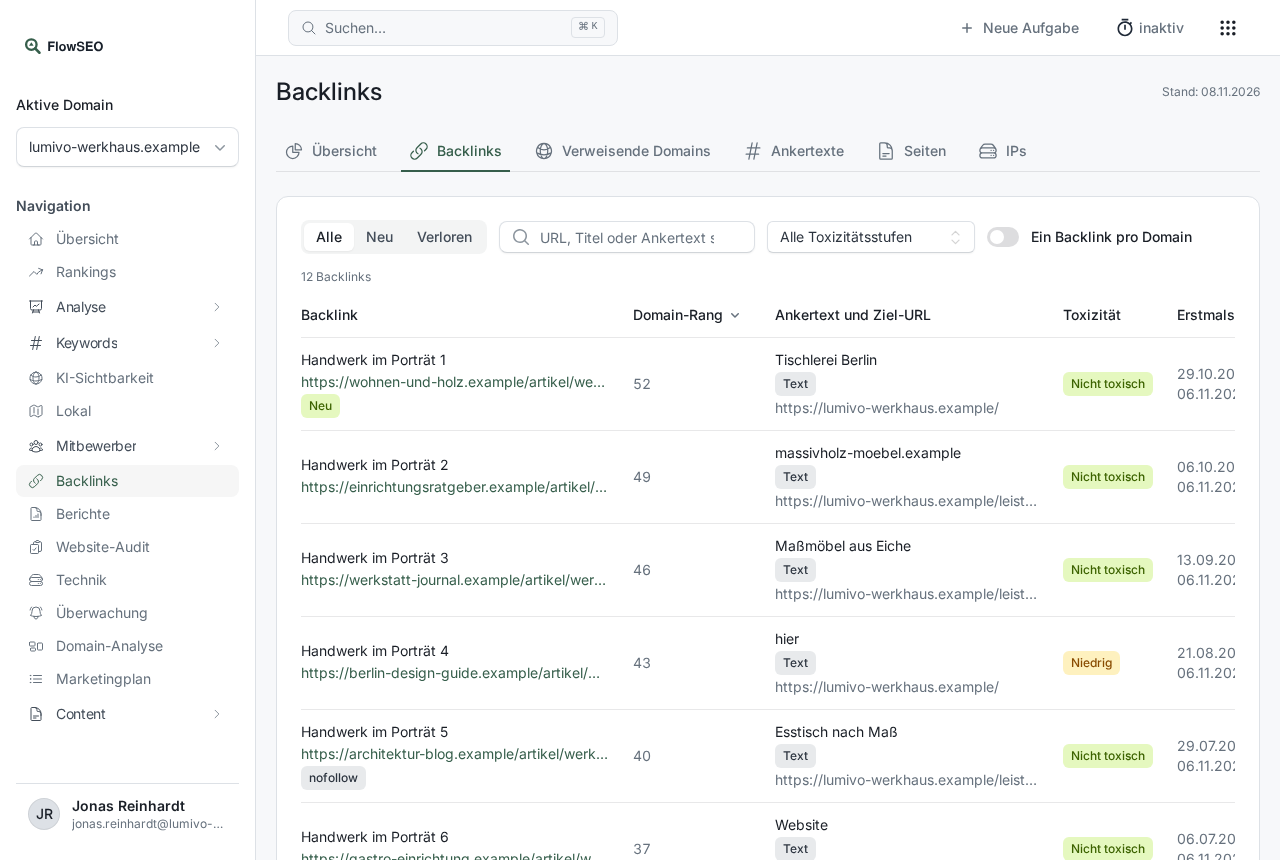
In the Backlinks tab, use All toxicity levels to filter, for example, to High and hover over the level in the Toxicity column. FlowSEO then names the signals that apply:
- generated domain or page name: the name consists of a long, random-looking string of characters.
- spam-typical domain ending: the domain uses an ending that is often used for spam.
- high rank without search visibility: the domain has a high rank but no traffic and no keywords.
- link directory or URL shortener: the host points to a link directory or URL shortener.
- many referring domains on the same IP: at least five linking domains are on the same IP address.
- repeated commercial anchor text: the same anchor text of several words, without your brand, comes from at least five domains.
What you can do
- Check the links with high toxicity. Open the linking page. If it's obviously spam, make a note of the domain.
- Ask for removal if you can reach the site owner, or remove links you placed yourself.
- Use a disavow file only selectively. In Google Search Console you can store a list of domains that shouldn't be counted. That's a Google tool, not a FlowSEO one. The Marketing plan has the task Review your disavow file for this.
Good to know
- The levels are FlowSEO's assessment, not a rating by Google.
- The stored links are rated: the strongest up to 1,000 backlinks and those lost in the last 90 days.
- Talk to our team before you upload a disavow file. Wrongly listed domains can devalue good links.