
The five lists in the Backlinks section show which link sits where, which website placed it and which of your pages get the most. The figures in the overview are covered in Understanding backlinks and domain analysis.
Why you don't see every backlink
The lists are fetched again once a month and are limited:
- Backlinks: the strongest links up to 1,000, plus up to 200 links lost in the last 90 days.
- Referring domains, Anchor texts, Pages, IPs: up to 1,000 entries each.
This means the total in the overview can be higher than the number of entries. Domain rank and Page rank use a scale of 0 to 100.
Backlinks
Every stored link is listed individually: the linking page, Domain rank, Page rank, Anchor text and target URL, Toxicity and First / last seen.
- All, New and Lost narrow down the list. New means first seen in the last 30 days.
- One backlink per domain shows only the strongest link per website.
- Search URL, title or anchor helps you find a specific link.
- Clicking a Backlink toxicity number in the overview filters the list to that level.
Each link has a type: Text, Image, Redirect, Canonical, Meta, Alternate or Other. For SEO, text and image links matter most. The levels are explained in Identifying toxic backlinks.
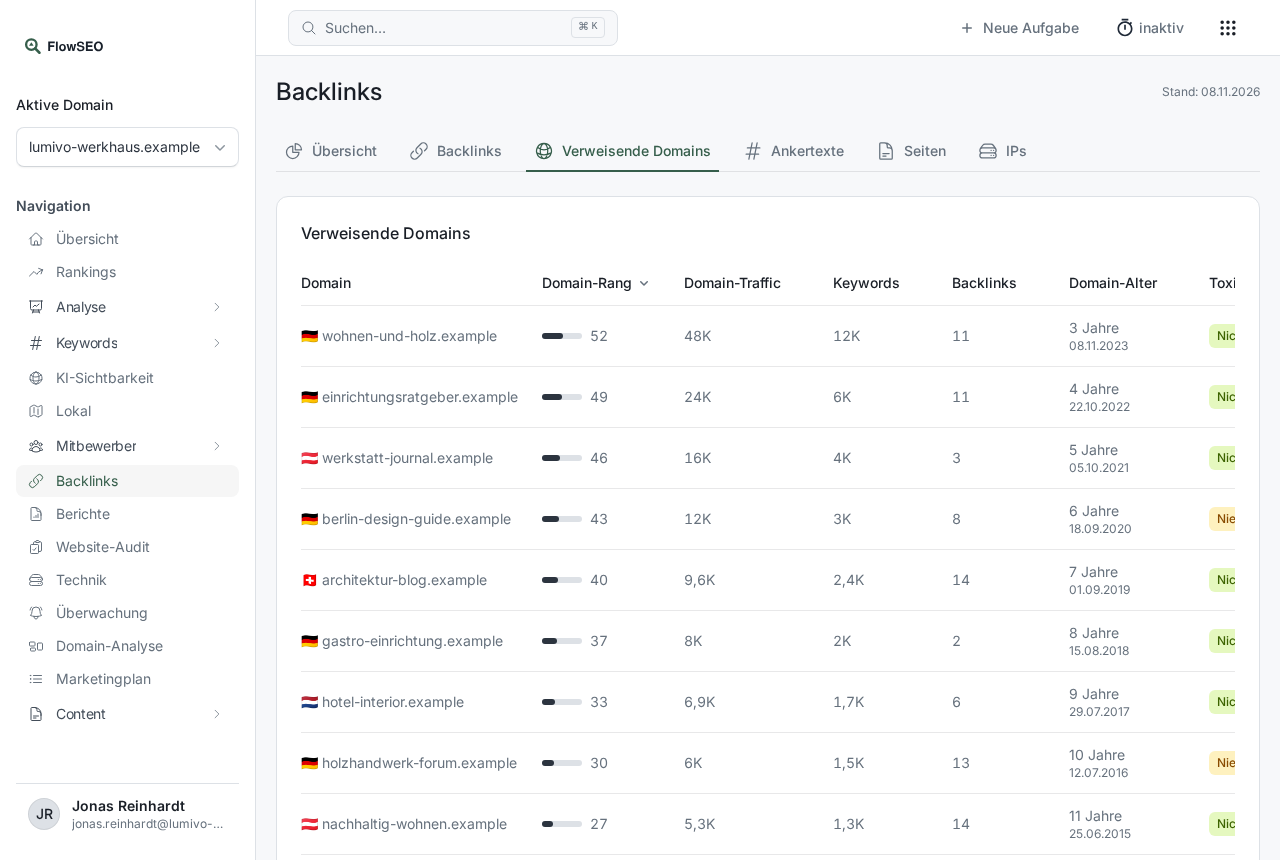
Referring domains
Each linking website is one row, no matter how many links it places.
- Domain traffic and Keywords: estimated visits and keywords of the linking website. A link from a site with real traffic is worth more.
- Dofollow: how many links from this domain search engines may count as a recommendation. This column only appears on very wide screens.
- Domain age: how long the domain has been registered, such as “under 1 year” or “7 years”. Very young domains with lots of links are often suspicious.
Anchor texts
This shows the words people use to link to you. The toggle switches between whole anchor texts and word groups of one to four words.
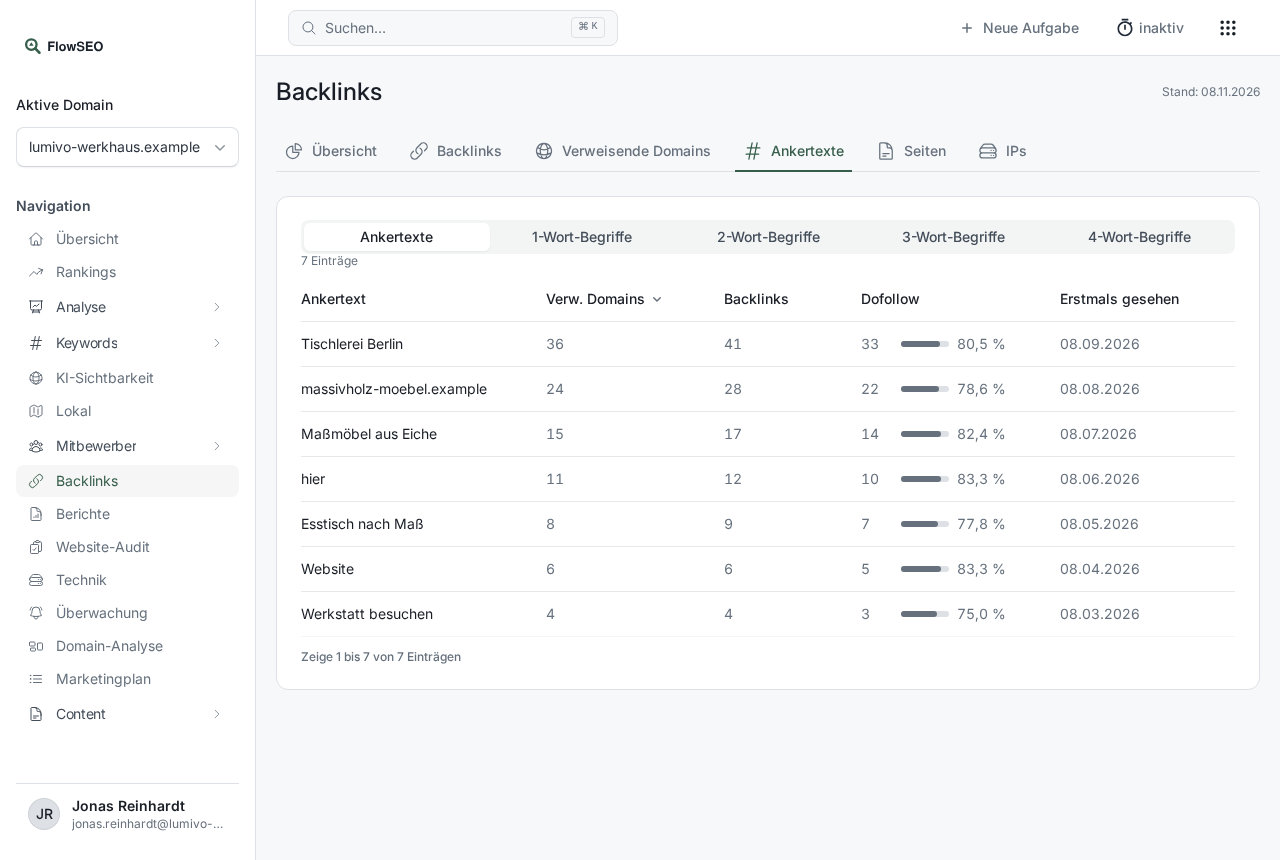
A natural profile consists mainly of your brand name, your address and general words such as “here”. Many identical promotional anchor texts look artificial.
Pages
This list shows which of your pages get the most links. Use Search URL to find a specific one. If important product pages hardly get any links, that's a good starting point for new content or partnerships.
IPs
Under IPs and Subnets you can see which servers the links come from. Many referring domains on the same IP or in the same subnet point to a link network. A few matches are normal, for example with large hosting providers.
Good to know
- The countries in the overview count the referring domains of the stored backlinks.
- The history of new and lost links is in the overview under New and lost backlinks and New and lost referring domains.