
Under Rankings you see for each of your keywords what position your website has, how the position has developed and which page ranks for it. FlowSEO measures positions once a week for each search engine configuration, for example Google Desktop and Bing Mobile in Germany.
Metrics and trend
Open Rankings in the left sidebar. At the top, choose the search engine (All search engines or a single configuration) and the period: 30 days, 3 months, 6 months or 1 year. On the right, search for a keyword or filter to a group via All tags.
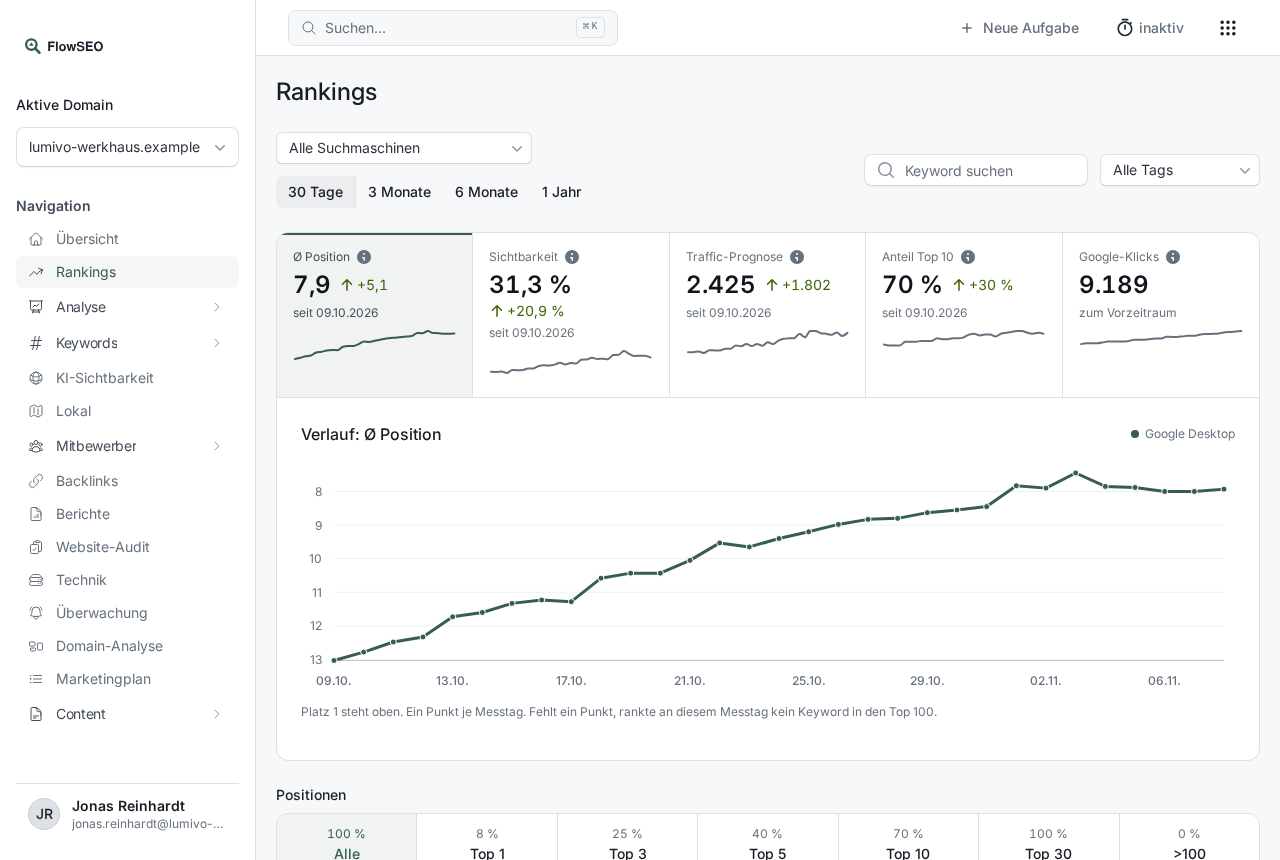
The tiles show the current value and the change since the start of the period:
- Avg. position: average position of all keywords in the top 100. Lower is better.
- Visibility: share of possible clicks your positions achieve, weighted by search volume.
- Traffic forecast: estimated visits per month from search volume and the typical click-through rate of the position. This is an estimate, not a measurement.
- Top 10 share: how many of your keywords are on page 1.
- Google clicks: real clicks from Google Search Console for the whole domain. Google delivers them with a three-day delay, the tile shows the change from the previous period.
Clicking one of the first four tiles switches the chart below to that metric. For positions, position 1 is at the top, and each point is a measurement day.
The keyword table
Below the chart, use the boxes under Positions (Top 1, Top 3, Top 5, Top 10, Top 30 and >100) to filter all tables to that range. Below that comes one table per search engine configuration.
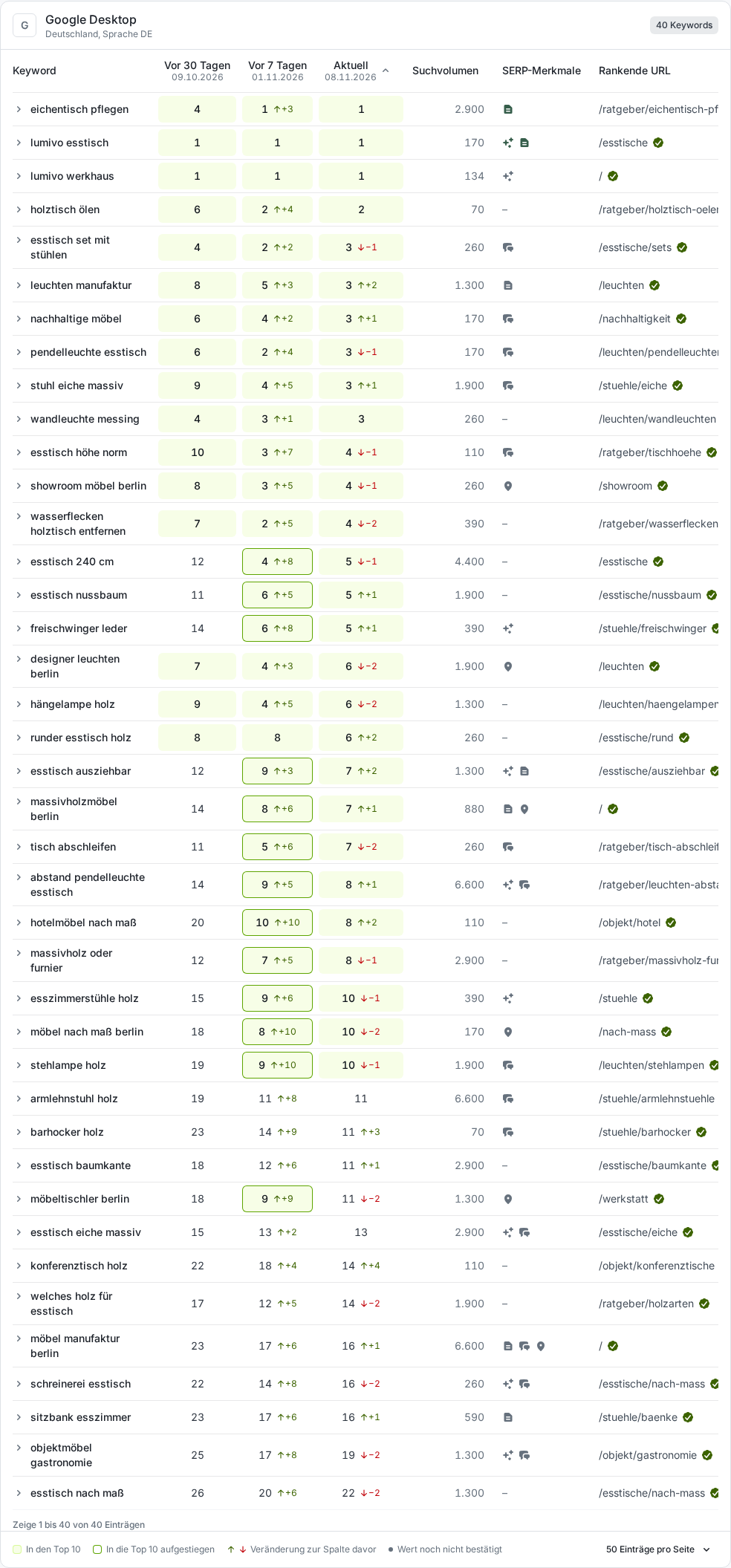
The most important columns:
- 30 days ago, 7 days ago, Current: the position on these measurement days, for longer periods correspondingly 3 months ago, 6 months ago or 1 year ago. The small arrow shows the change from the previous column, green pointing up means improved. Keywords in the top 10 have a green background.
- Search volume: how often the keyword is searched per month.
- SERP features: icons for special features of the results page, such as AI Overview, Featured snippet, People also ask or Local pack. Hover over them to see what they mean, for example whether your domain is named in the AI summary.
- Ranking URL: the page of your website that was found. The green check mark means that exactly the target URL you set is ranking.
- Clicks: clicks from Search Console for this keyword, if Search Console is connected.
After the tables come the Distribution of positions, Up and down, the best and changed keywords, your Pages and the comparison with competitors.
Position history of a keyword
Click the small arrow in front of a keyword. The Position history opens below it for the selected period, with the best and the latest position.
If something doesn't work
- No configuration yet: If no search engine has been set up for your domain yet, our team takes care of it. You add more countries under Locations.
- “Value from …” badge: The last measurement didn't find your domain, but its absence isn't confirmed. Until this is clarified, FlowSEO shows the last confirmed value and no change.
- “Unconfirmed” badge: Your domain wasn't found, and there is no earlier confirmed value. That isn't proof of a loss yet.
- A new keyword has no values: Positions appear after the next weekly measurement. How to add keywords is explained in Adding and importing keywords and organising them with tags.