
If you also sell in other countries, you add the matching locations yourself. A location is a country with a language, for example Germany with German or Switzerland with French. For each location, FlowSEO measures your positions on Google and Bing, each on desktop and mobile, and asks your prompts on all AI platforms.
Your locations
In the sidebar, open Locations under Management. Each card shows a country with a language and, below it, how many search engines and AI platforms are measured there. The field on the right shows how many of these measurements are active.
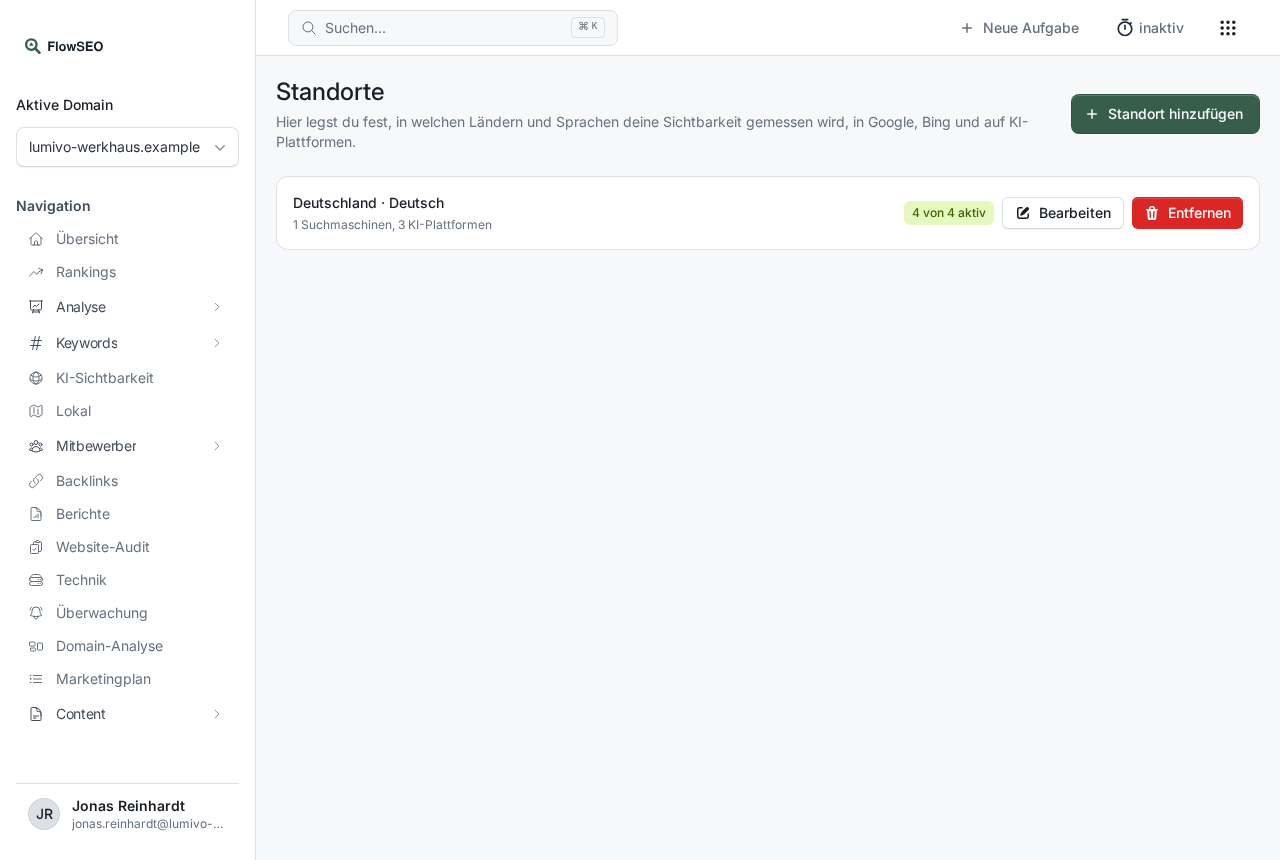
You set the first location when setting up your domain. You can turn off individual measurements, such as Bing, per location yourself, see Editing a location. By default, measurements run weekly, and only our team can change the interval.
Add a location
- Click Add location at the top right.
- Under Describe the location, describe in your own words which country and language you mean, for example
Austria, GermanorSwitzerland, French, and click Detect. FlowSEO fills in Country and Language. If you name only a country, its usual language is selected. - Check Country and Language and correct them in the dropdowns if needed.
- Click Create location.
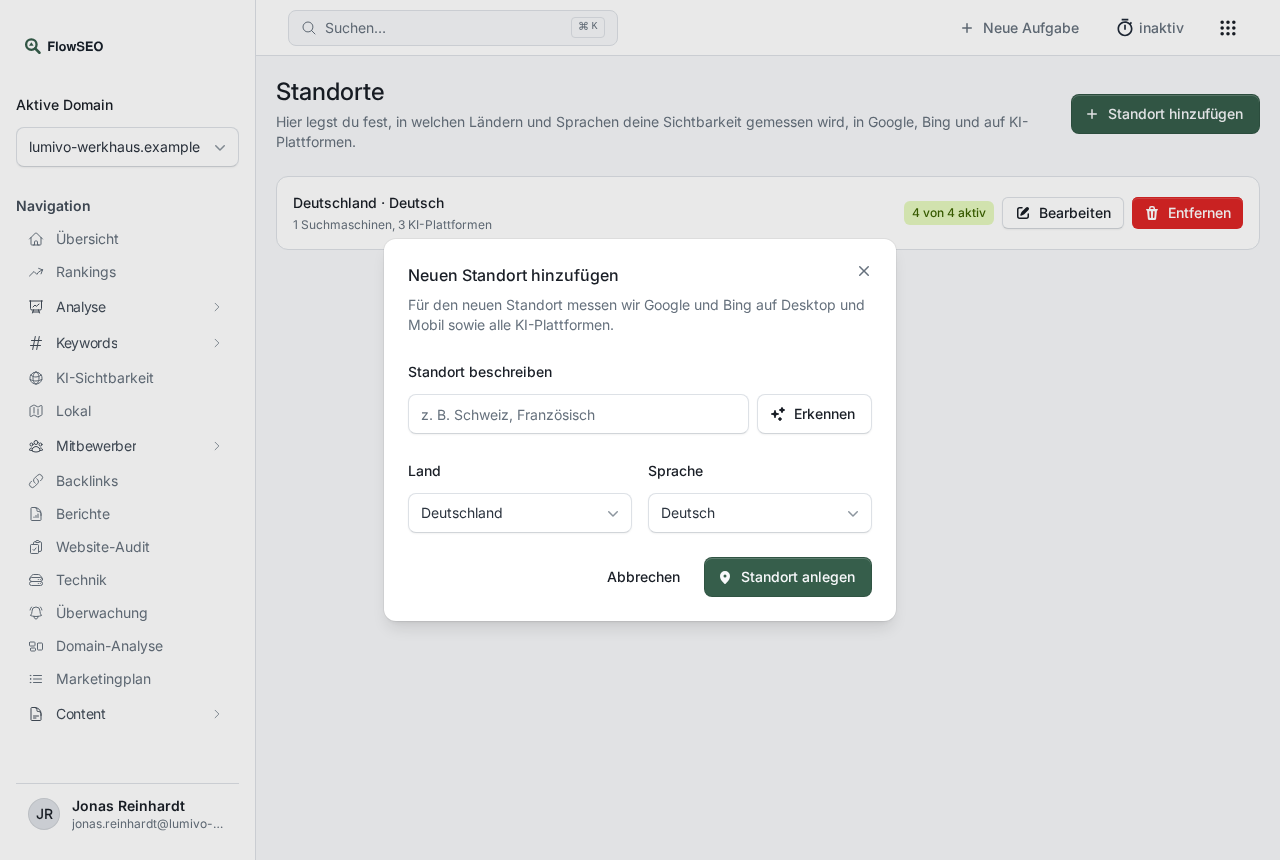
FlowSEO then sets up Google and Bing on desktop and mobile as well as all AI platforms for this location. Keywords and prompts that are measured in all configurations automatically apply there too. The first values appear after the next measurement under Rankings and AI visibility.
Remove a location
Click Remove to the right of the location and confirm the prompt. Measurements without existing values are deleted, measurements with history are only paused so no data is lost. If you add the same location again later, the paused measurements continue.
Good to know
- More locations, more data: Each location measures all keywords and prompts in addition. So choose only countries where you really have customers.
- Notice after creating: If a search engine doesn't support a country, FlowSEO says so after creating the location. The other measurements are still set up.
- Free text without a country name: If you describe the location without a country name, for example with just a city like
Vienna, an AI helps with detection. That counts towards the hourly limit of your domain.