
A research run quickly returns hundreds of terms. This article explains what each column means and which values show you the keywords worth pursuing. How to start a research run is covered in Keyword research: finding new keywords, using clusters and adding them to tracking.
The columns
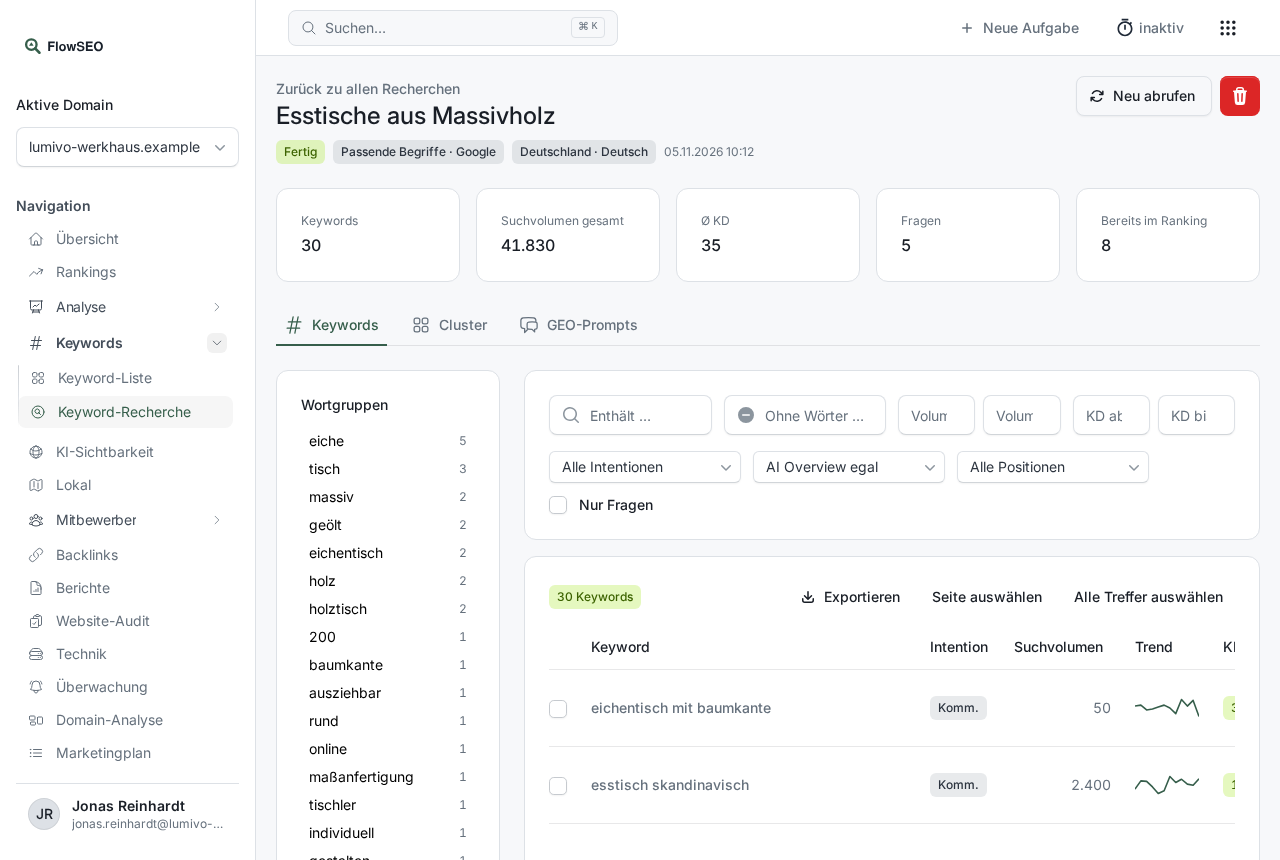
Under Keywords, open Keyword research and then a finished research run. The Keywords tab contains:
- Intent: what the person searching probably wants: Info (knowledge), Nav (a specific brand or page), Comm. (comparing before buying) or Trans. (buying or booking).
- Search volume: average monthly searches on Google in the selected market.
- Bing search volume: appears if you started the research with Bing.
- Trend: the search volume over time as a small line.
- KD: Keyword Difficulty, from 0 to 100. Higher means harder.
- CPC: roughly what a click on an ad for this keyword costs. A high CPC shows that the keyword is valuable to businesses.
- AI volume: an estimate of how often the topic comes up in AI assistants. Filled in if you chose Estimate AI search volume at the start.
- SERP: special features of the Google results page, for example AI (AI Overview), FS (featured snippet), PAA (People also ask), Local, Video, Image or Shop.
- Position: where your domain already ranks. Empty means it doesn't rank yet.
- Opportunity: how worthwhile the keyword is for you, from 0 to 100.
How the opportunity score is calculated
Opportunity combines several values:
- More Search volume raises it.
- What matters is the potential gain in clicks if you reached position 3. If you're already at position 2, you have nothing left to gain, and if you're outside the top 10, you have the most to gain.
- If Google shows an AI Overview, the gain in clicks is smaller.
- A higher Business value raises it. You set it per cluster as Low, Medium or High. With Automatic (CPC), FlowSEO derives it from the CPC.
- A high KD lowers it.
The values are converted to a scale of 0 to 100 within each research run. An opportunity of 80 therefore means “very good compared to the other keywords in this research run”.
The detail window
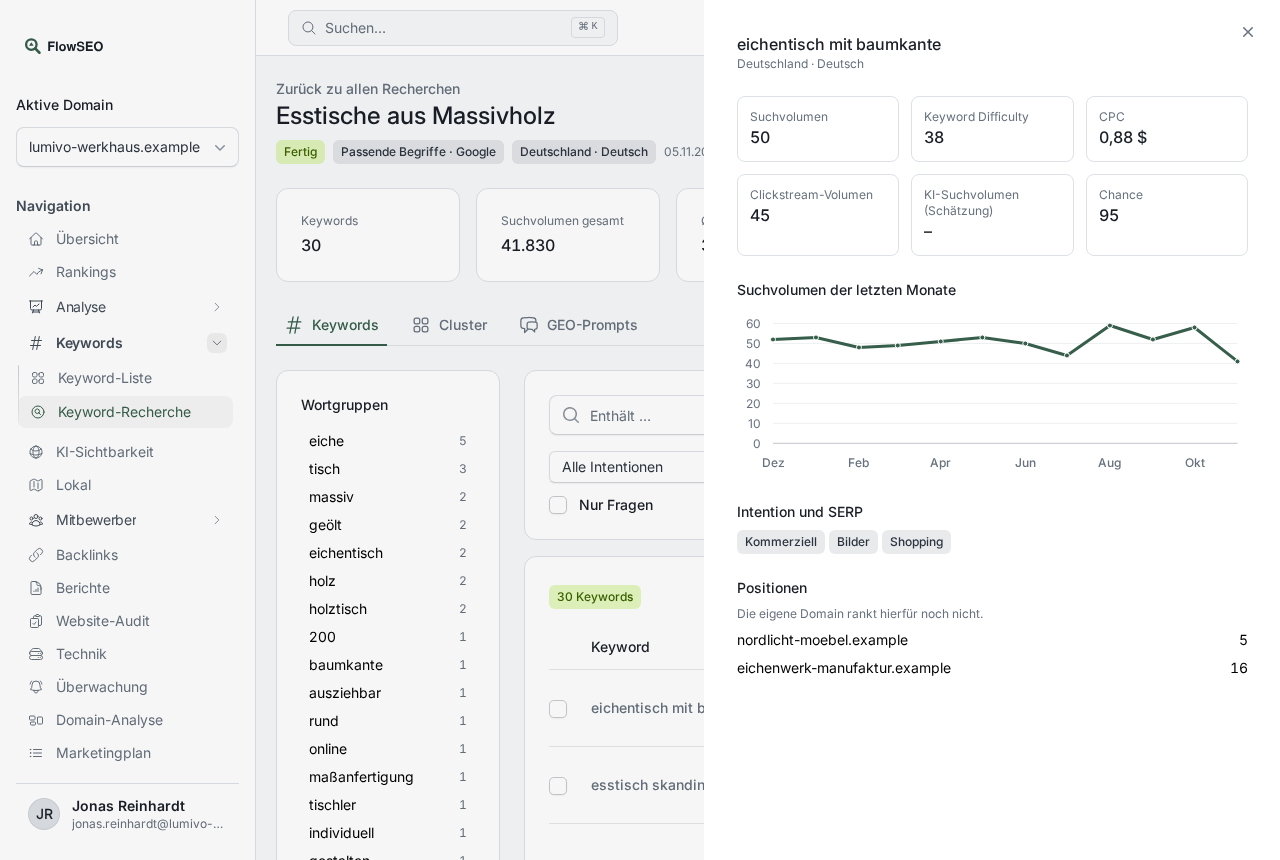
Click a keyword. You'll find these additional details:
- Clickstream volume: a more accurate search volume, if you chose Include clickstream data at the start.
- AI search volume (estimate): the reference value for AI assistants.
- Search volume in recent months: useful for seasonal topics.
- Intent and SERP: written out in full.
- Search Console (last 28 days): real clicks, impressions and average position, if Search Console is connected.
- Market comparison: the values per country, if the research covers several markets.
Useful filters
Especially helpful are Position 4 to 20 (keywords close to page 1), Domain does not rank (new topics), With AI Overview and Questions only (good for guides and FAQ sections).
If something doesn't work
- No Bing search volume: Bing provides volume, CPC and trend only for German, English and French.
- AI volume is empty: The estimate wasn't selected at the start. Use New research to start a new run with Estimate AI search volume.
- Incomplete results: Some requests failed, but you can still use the results you have.
- AI volume is an estimate, not an analysis of real chat histories. Treat it as a guideline.