
You add new domains yourself, in the browser or through your AI agent. Your package determines how many you can have, see Limits and fair use.
Add a domain
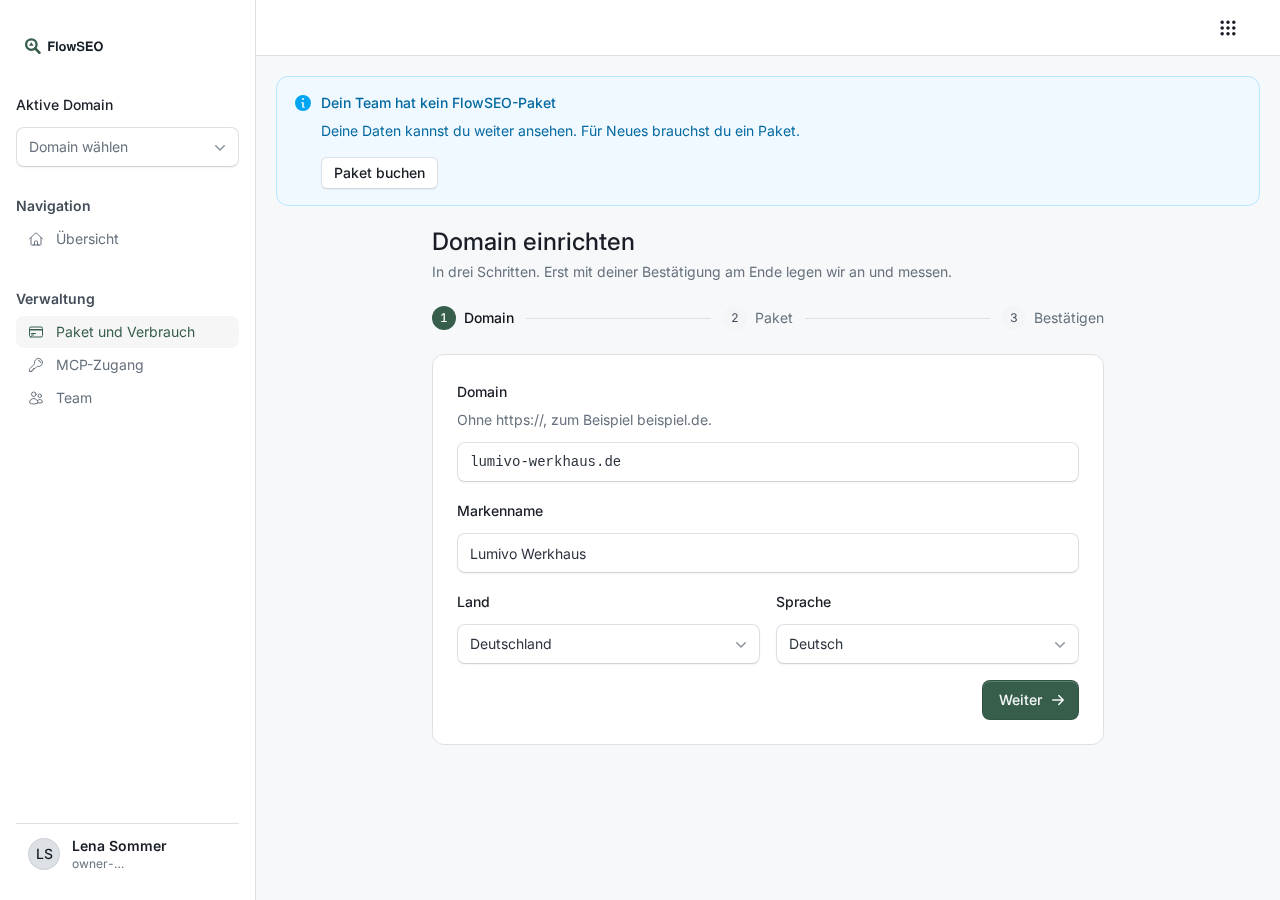
- Open Plan and usage and click Add domain or Set up a domain.
- Enter the domain without https://, plus brand name, country and language. Click Next.
- If your team has no package yet, choose the trial or a package here.
- In the last step, confirm with the checkbox and click Create domain.
FlowSEO then sets up the first location, fills in your company profile once and runs every analysis once: keyword research, AI prompts, backlinks and visibility. FlowSEO tracks the best keywords and prompts right away, and a first content draft is created that FlowSEO never publishes without your release. On Unlimited, the new domain is charged pro rata.
Through an AI agent, this works with the flowseo_domains tool, see example tasks.
Move a domain to the trash
Under Plan and usage, each domain has Move to trash. The domain disappears from FlowSEO and its measurements end. Nothing is deleted for good. If it was a mistake, you bring it back yourself, see below.
With self-booked packages, only the owner of the team and people who manage the product may do this. If we look after your package, everyone with access to FlowSEO may do it.
Restore a domain
Under Plan and usage, the Deleted domains section lists every domain in the trash. Restore brings a domain back with all its keywords, measurements and content. It then counts towards your package again. If there is no room left, you see a notice and the domain stays in the trash.
If you enter a domain in the setup assistant that is in the trash, you have two choices: Restore (with old data) brings it back with everything. Start over (remove previous data) creates it empty after you confirm. You no longer see the old domain afterwards and cannot restore it either.
The same people who may move a domain to the trash may restore it. If your package has ended, the domain shows until when it is kept. With a new package you can bring it back until then. After that it has been cleaned up and can no longer be restored. The assistant then only offers Start over.