
The AI page analysis checks a single page against the search results for its keyword: page type, search intent, E-E-A-T, depth, on-page, structure and technical aspects. You can analyse your own pages or competitors' pages. You'll find it on the left under Content and then AI page analysis.
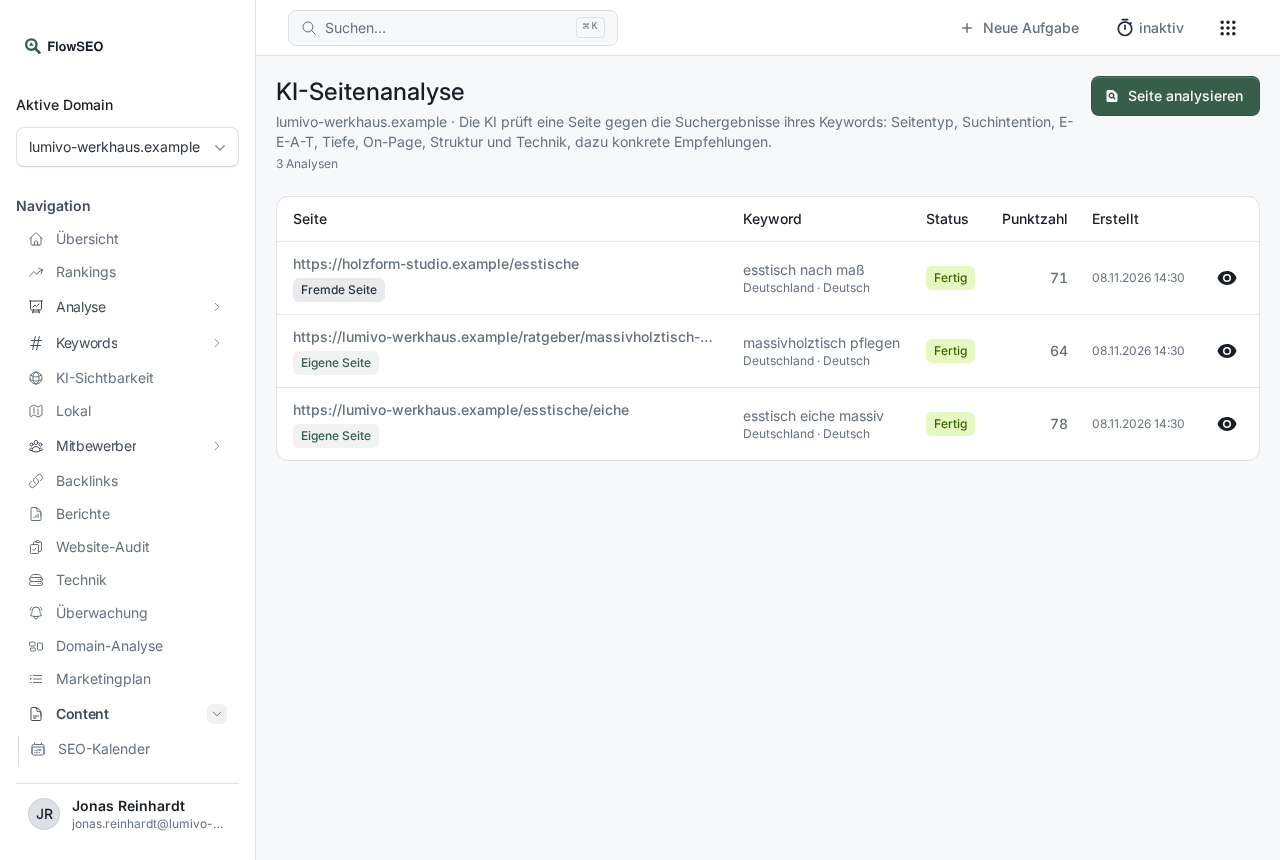
Starting an analysis
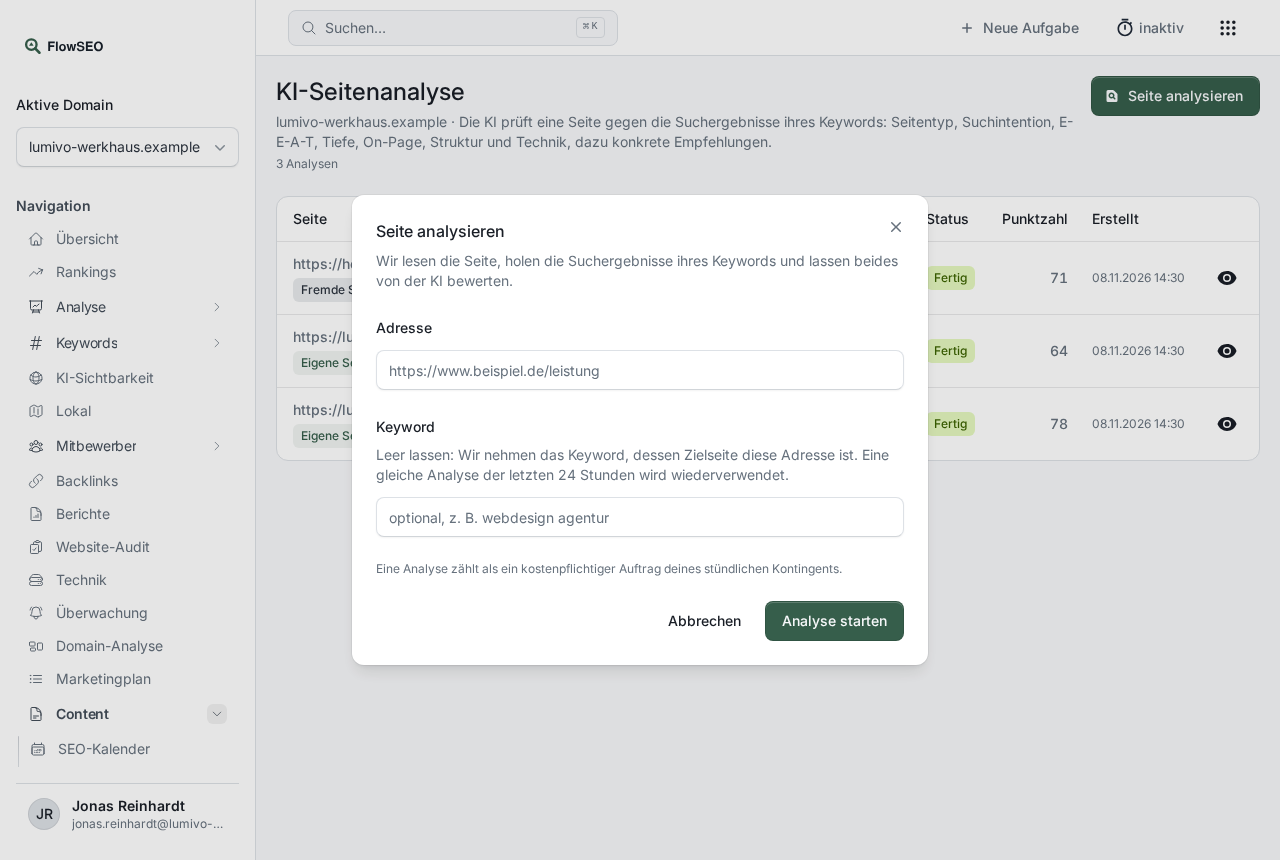
- Click Analyse a page at the top right.
- Enter the full address of the page under Address.
- Optionally enter a Keyword. If you leave the field empty, FlowSEO uses the keyword whose target page this address is.
- Click Start analysis.
The analysis runs in the background and usually takes one to three minutes. The status moves through Reading the page, Fetching search results and Rating to Done. An identical analysis of the same address with the same keyword from the last 24 hours is reused. Each new start counts towards the hourly limit.
What the result contains
Clicking a row opens the result:
- Score: weighted from six areas with 0 to 10 points each. If data is missing, there's no score.
- Summary and a Rating per area, each with evidence and a note on whether something was observed or inferred.
- Comparison with the search results: page type and type of the search results.
- Recommendations: what you can change specifically.
- Data limits: what couldn't be checked.
The result carries the note Generated automatically. FlowSEO calculates all scores from the individual ratings, not the AI.
If something goes wrong
- “This address is not publicly reachable.” Only public addresses can be checked.
- “The page could not be reached.” or “The page answered with status …” Check the address and start the analysis again.
- “This domain has no market yet.” Add a location first.
- You can't delete an analysis yourself.