
The Health score and the Crawl comparison show whether your fixes worked: what's been resolved, what's new, and how the condition of your website develops over several audits.
The Health score
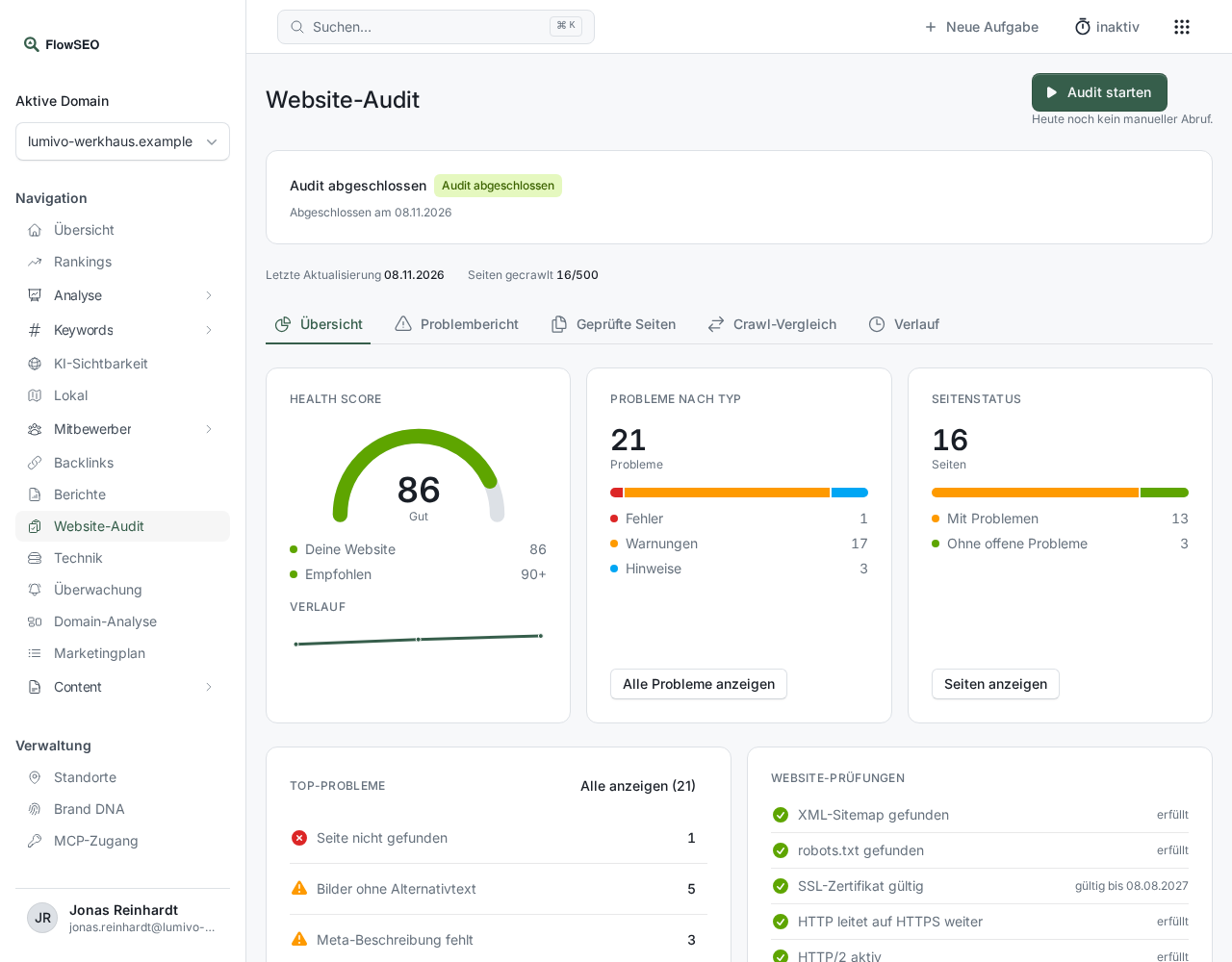
Open Website audit. At the top of the Overview tab you'll find the Health score from 0 to 100 with a rating:
- below 50: Poor
- from 50: Fair
- from 80: Good
- from 90: Excellent
Next to Your website you'll see the target value under Recommended, which is 90. The History appears from the second completed audit onwards.
The website checks
Website checks lists items that affect the entire website, each marked passed, failed or not checked:
- XML sitemap found and robots.txt found
- SSL certificate valid, with the expiry date
- HTTP redirects to HTTPS
- HTTP/2 enabled
- Error pages return status 404
- Start page open to crawlers
If one of these fails, fix it first. These items affect every page at once.
Comparing two audits
- Switch to the Crawl comparison tab.
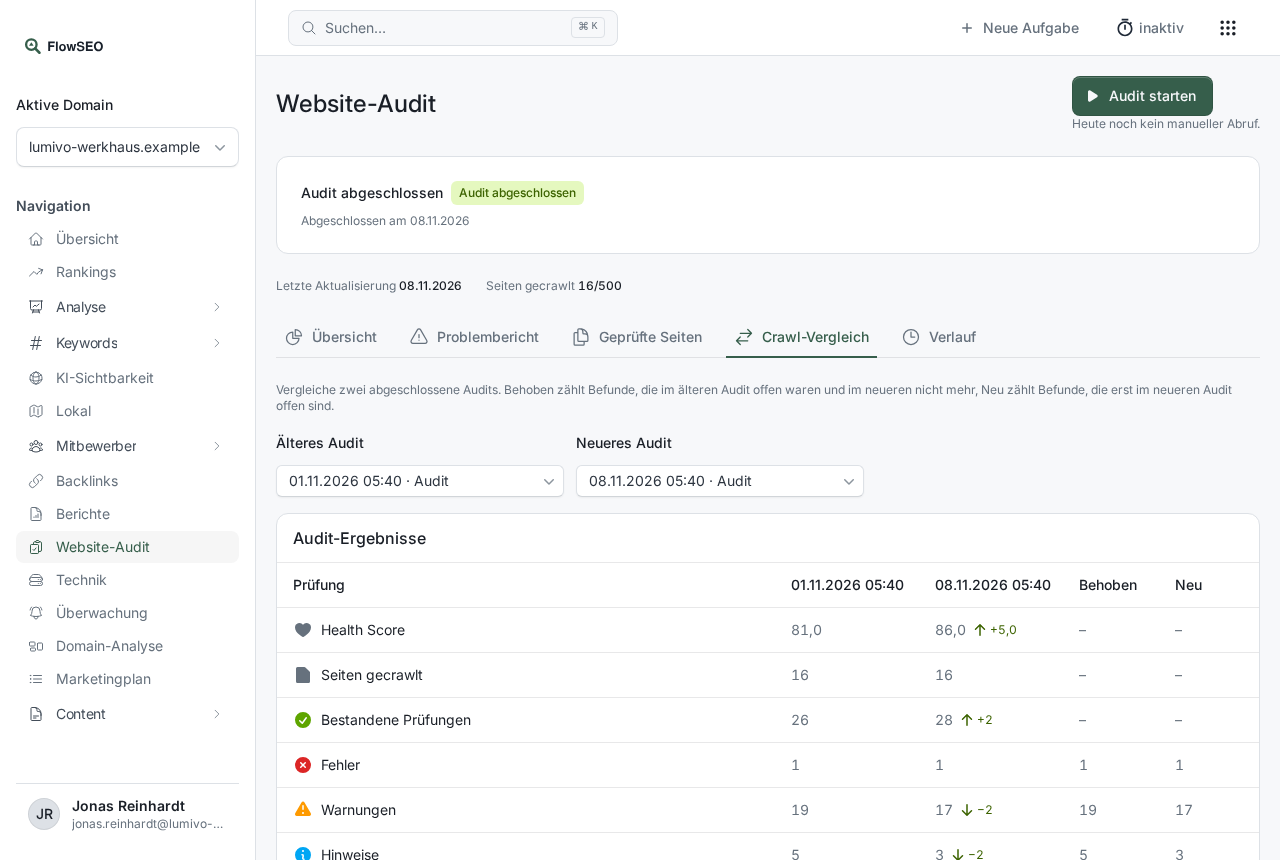
- Choose the two runs under Older audit and Newer audit. You can choose from your last 50 completed audits.
Audit results shows Health score, Pages crawled and Passed checks side by side, followed by the Domain metrics: Backlinks, Referring domains, Domain rank and SSL certificate valid until.
The findings per problem come after that:
- Fixed: open in the older audit, no longer open in the newer one.
- New: open only in the newer audit.
- Current: what's open in the newer audit.
Only open findings count. Anything you've marked as Done no longer counts.
Frequently asked questions
Why is there a dash instead of a number? The crawler for this audit can't report that check, for example because one audit ran with a deep crawl and the other without. Hover over the dash for an explanation.
Where do the backlink values come from? From the latest backlink measurement up to the day of each audit. Backlinks are fetched monthly, so two audits in the same month often show the same values.
“No comparison yet” The comparison needs two completed audits. Start a new one after your fixes.
Does the comparison show how many pages are on Google? No, the comparison doesn't know the index status. You can see that in Google Search Console.
Good to know
It's best to compare audits between which you've changed something specific. Then Fixed shows you straight away whether your work paid off. Common findings and how to resolve them are in Audit findings explained.