
The website audit lists everything that stands out on your pages in the Problem report. This article explains in plain language what the most common findings mean and what to do about them. To start an audit, see Run a website audit and fix technical issues.
Critical, Warning, Notice
- Critical: errors that directly hinder search engines. Deal with these first.
- Warning: issues that measurably weaken your visibility.
- Notice: minor points with little effect.
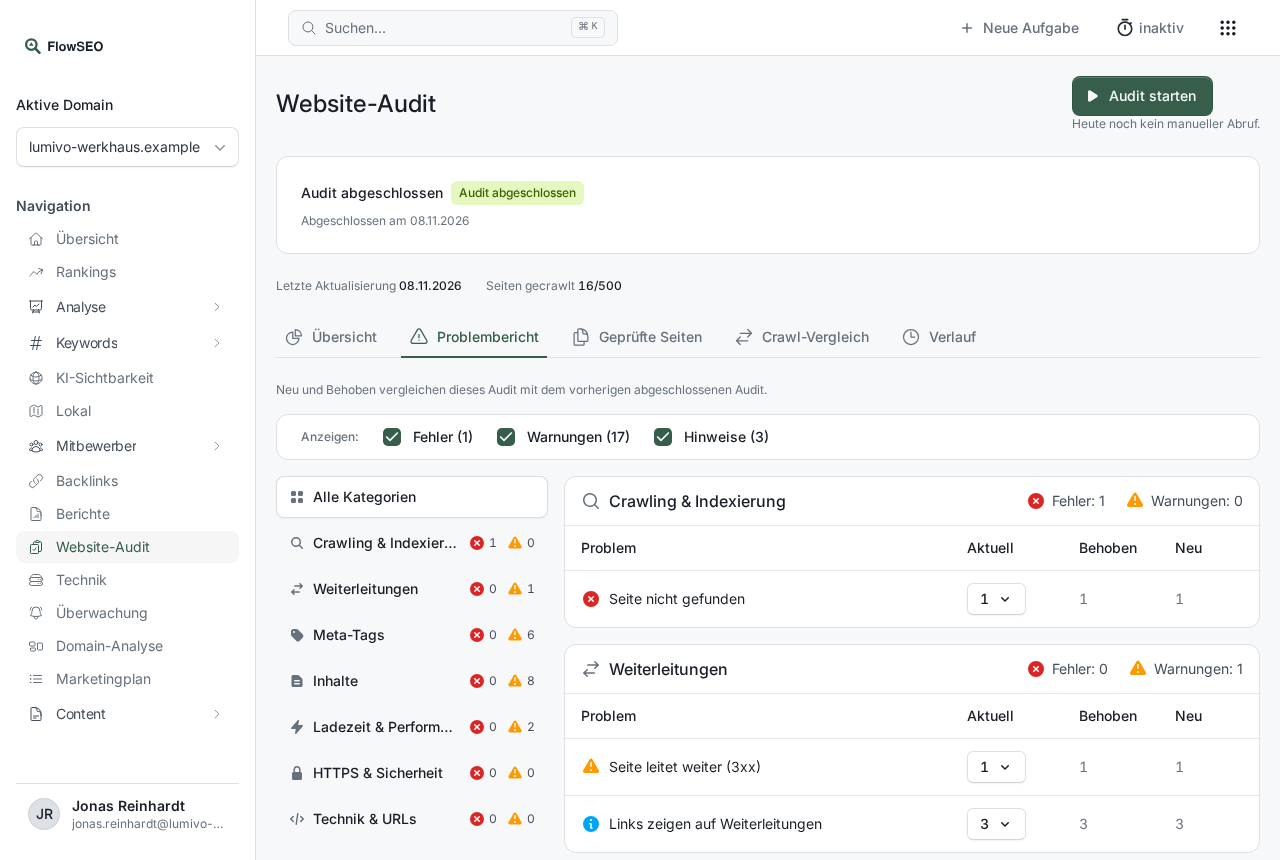
In the Problem report you can filter by Errors, Warnings and Notices. Choose a category on the left, then expand a finding on the right to see the pages affected.
Where a link is
For findings about links, FlowSEO tells you the location: Linked from shows the pages linking to the affected page, Links to shows the targets. You also see the anchor text (or no anchor text, Image, External) and the position: Navigation, Content, Footer, Header or HTML head. That way you can find the broken link without searching the page.
Crawling & indexing
- Page not found / Server error when loading the page: Restore the page or redirect it to a suitable one.
- Links point to broken pages: Update or remove the link.
- Page is not linked internally: No other page links here, so search engines struggle to find it. Link to it from a relevant menu or text.
- Canonical link points to a broken page: Enter the correct address as the canonical, usually in your SEO plugin if you use WordPress.
- Page is excluded from indexing (noindex): Check whether this is intended.
- The website throttled the crawler (HTTP 429): Your server turned away too many requests. Ask your host not to throttle the crawler, or pages will remain unchecked.
Redirects
- Page redirects (3xx): Often intended. But link internally straight to the target.
- Chain of several redirects: Redirect straight to the final address.
- Links point to redirects: Use the final address in internal links.
Meta tags
- Page title is missing: Add a meaningful title.
- Page title is used more than once: Give each page its own title, otherwise Google can hardly tell them apart.
- Page title is too short / too long: State the topic clearly without the title being cut off in the search results.
- Meta description is missing: Add a short preview text.
Content
- Main heading is missing / Several main headings on the page: Each page should have exactly one H1 heading.
- Images without alternative text: Describe each image in a few words.
- Little text on the page / Little text compared to the page markup: Add helpful content, especially on important pages.
Loading time & performance
- Page loads slowly / Server responds slowly: Shrink images, use caching and check server performance with your host.
- Images are larger than 300 KB: Compress the images or use modern formats such as WebP.
HTTPS & security
- Page is served without HTTPS: Set up an SSL certificate and redirect all http addresses to https.
- Secure page links to insecure addresses: Change links from
http://tohttps://. - Security headers are missing: Your host sets these up.
Technical & URLs
- URL is not search-engine friendly: Use short, descriptive addresses.
- Favicon is missing: Add a small website icon.
Marking a finding as done
Click Done in the row of the page and the finding disappears from the open findings. If the problem still exists at the next audit, it comes back.
Good to know
- With a very large number of findings, a group shows the first entries with “Showing the first … of … findings.” above them.
- Some findings, such as those about broken links, broken images or structured data, come from an additional deep crawl. Our team starts that.