
Under Competitors you see who is more visible for your keywords, where you're ahead and which domains play a role in the Google results, even if you've never entered them. The four views are for reading in the browser.
Which competitors are monitored
You add the competitors being monitored in the browser or through your AI agent, and their positions are recorded with every measurement. If a competitor is missing or one is no longer relevant, you can change that on the Competitors page or through your AI agent, see Browser, agent and our team.
In the sidebar, open Competitors. The group expands and shows Overview, SERP competitors, Share of voice and Visibility rating. On all pages, choose the search engine configuration at the top, for example Google DE Desktop, and the period.
Overview: you in direct comparison
The Overview shows your domain and each competitor with Visibility, Avg. position and the Position distribution: what share of the keywords is in the top 3, top 10, top 30 and top 100.
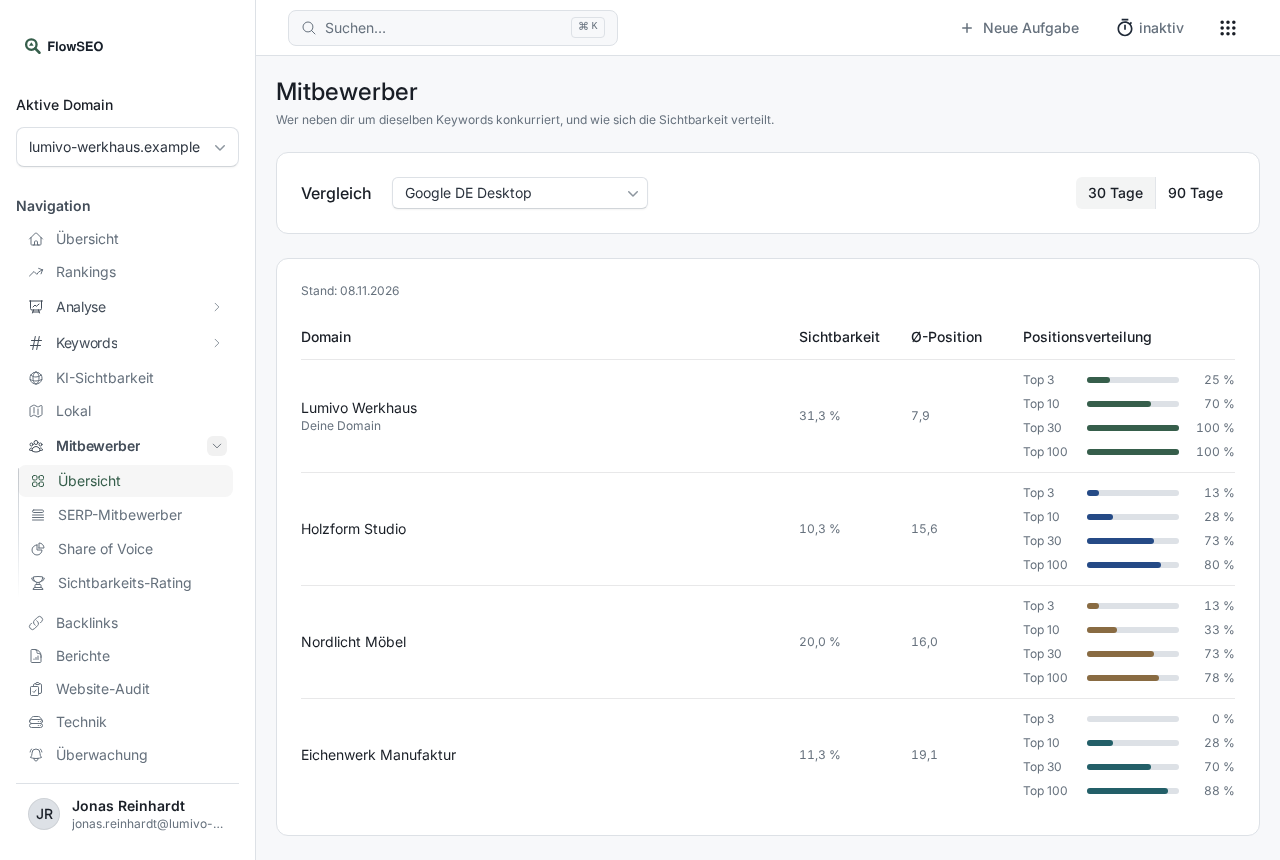
Below that comes the Trend. Use the buttons on the right to switch between Avg. position, Traffic forecast, Visibility and % in top 10. The Keywords compared table lists each keyword with your position and that of each competitor, plus the change in the period. With the Position filter (your domain) you can, for example, show only keywords where you're in the top 10.
SERP competitors: who ranks before and after you
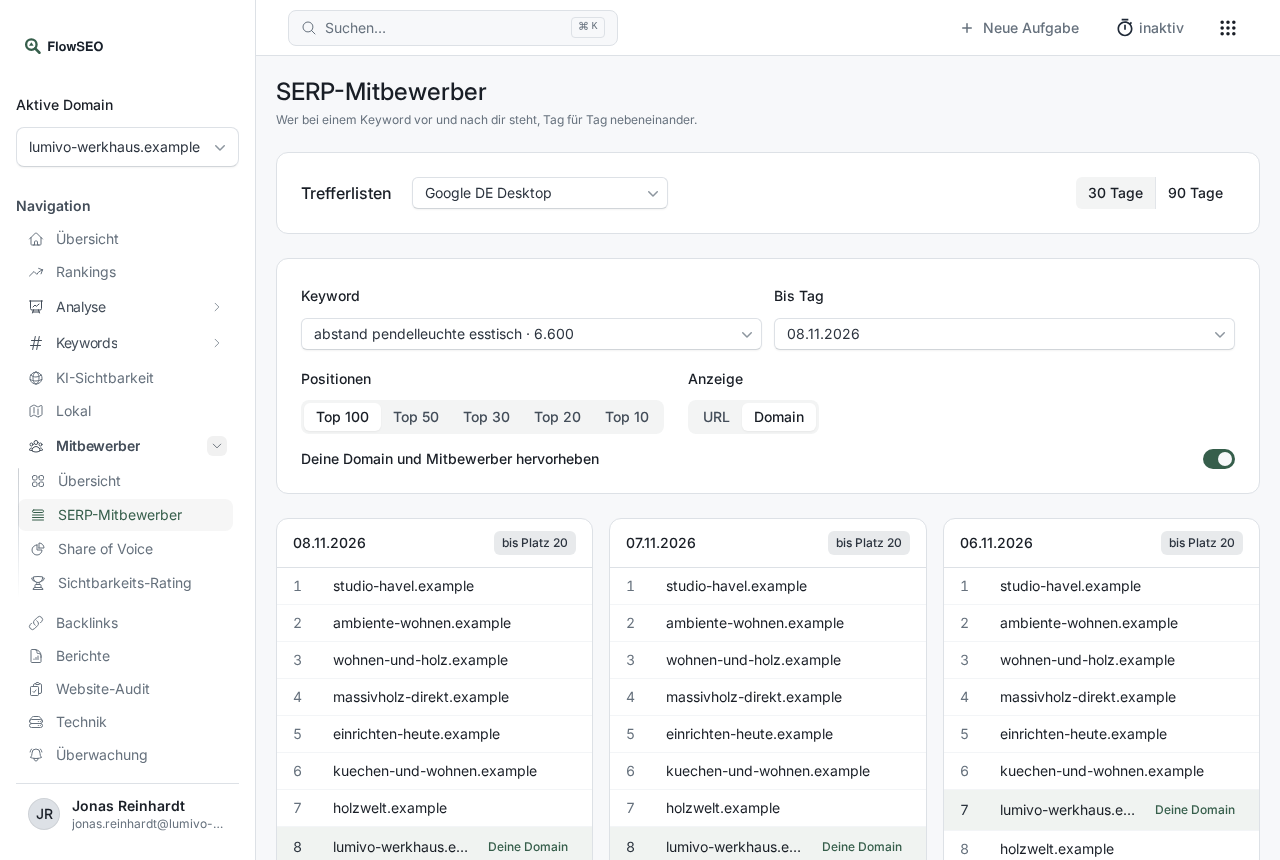
Choose a Keyword and you see the Google results list from several measurement days side by side. Your domain is marked as Your domain, monitored competitors as Competitor. With Top 100, Top 50, Top 30, Top 20 and Top 10 you set the length of the list, under Show you choose between URL and Domain.
Share of voice: your share of the clicks
Share of voice shows how the expected clicks for your keywords are distributed across all domains in the top 20. The basis is the traffic forecast: search volume times the typical click-through rate of the position.
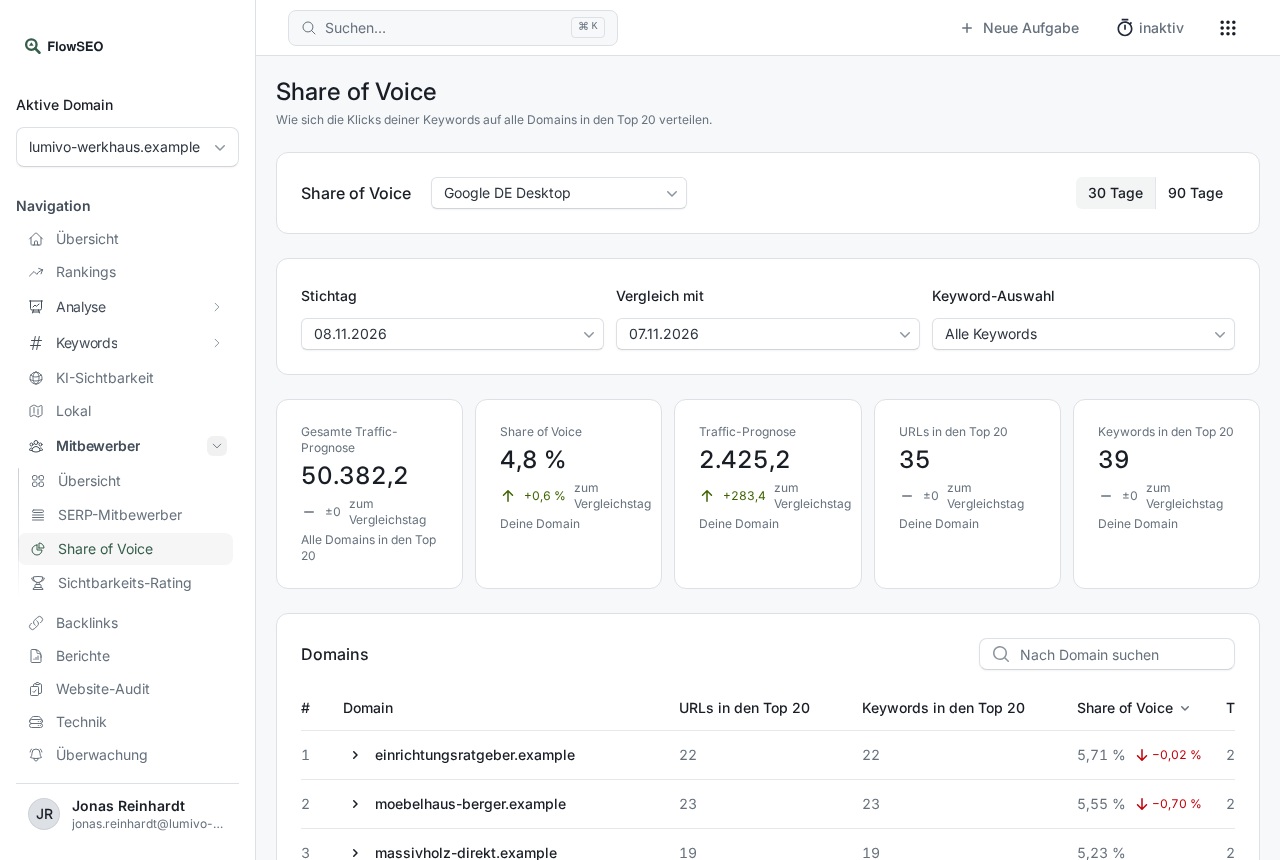
Under Reference date and Compare with you choose two measurement days. The tiles show Share of voice, Traffic forecast, URLs in the top 20 and Keywords in the top 20 for your domain, each with the change vs. comparison day. In the Domains table, your row is highlighted. With Keyword selection you limit the calculation to the keywords of one tag.
Visibility rating: the most visible domains overall
The Visibility rating lists the most visible domains across your keywords, including ones you haven't entered as competitors. With Week, 2 weeks and Month you choose the period.
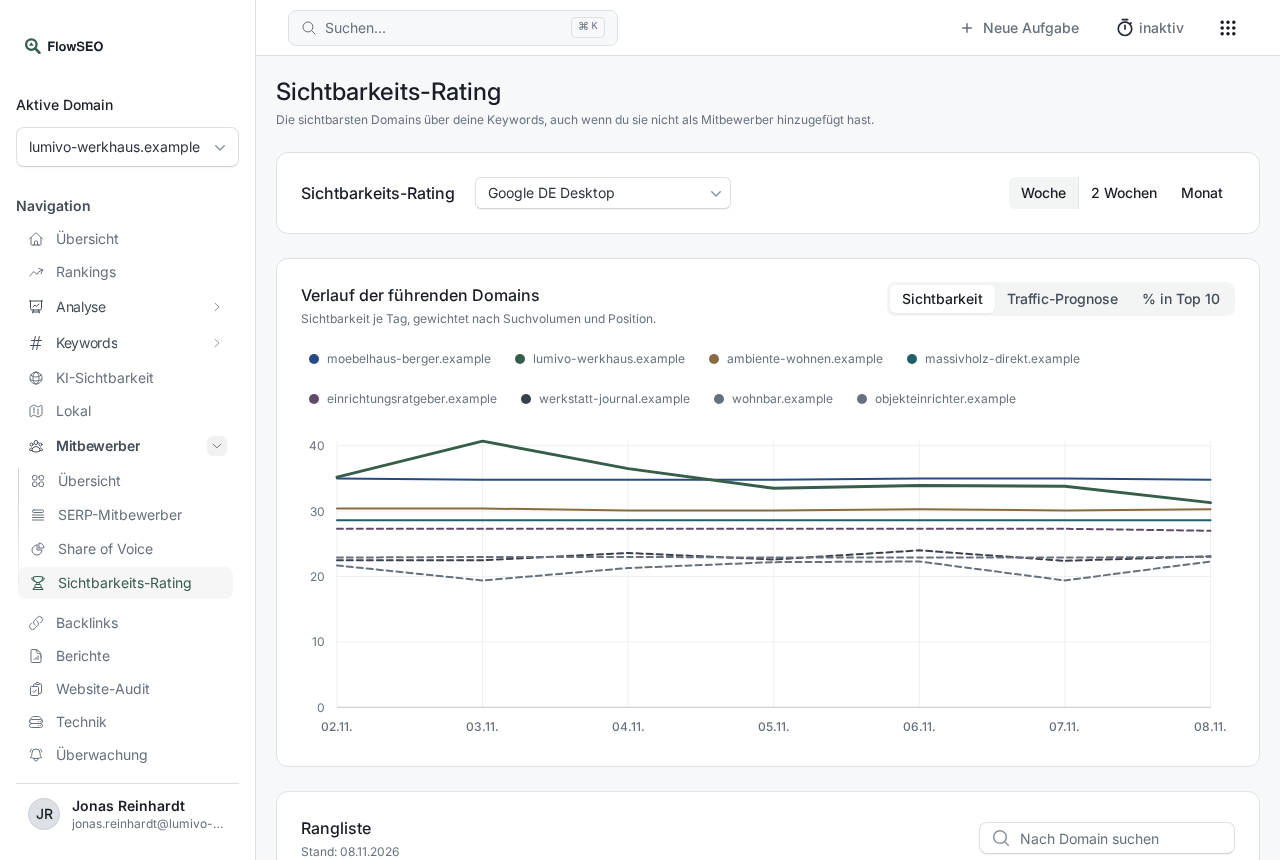
The Ranking shows visibility, traffic forecast, number of keywords and the Domain authority of each domain. This is where you discover guide portals or shops that weren't on your radar so far.
Good to know
- No result lists yet: The full result lists are collected with the rank measurement, older measurements don't contain them. On some measurement days a list is shorter, in that case the view says how far down it goes.
- No history yet: A trend needs at least two measured days in the period. Since measuring is weekly, choose a longer period.
- AI answers: How often your competitors are named in ChatGPT and others is shown by the share of voice on the AI visibility page.