
Whether you can already book FlowSEO yourself is shown on the pricing page: if it says “Not available to book yet”, that isn't possible yet.
You'll find everything under Plan and usage. The owner of the team can change or cancel. If we look after your package for you, you agree a change with us directly.
Change your package
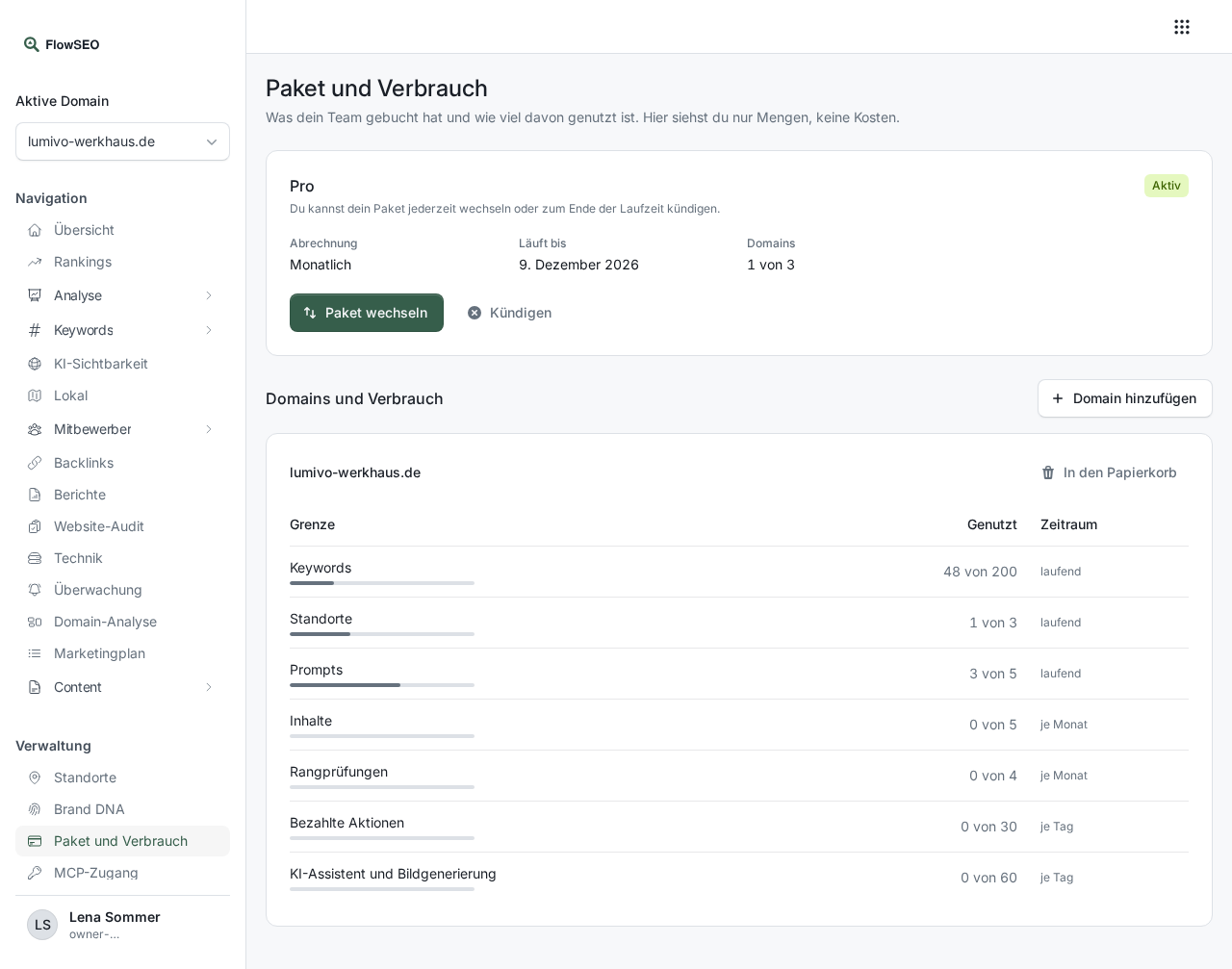
Click Change plan and choose the new package.
- Larger package: It applies right after payment and is charged pro rata for the rest of the term.
- Smaller package: It applies at the end of the current period, and so does a switch between monthly and yearly. With Managed, only monthly billing is available.
You discard a scheduled change with Discard scheduled change. If your stock then exceeds a limit of the smaller package, FlowSEO pauses the most recently created domains, keywords and prompts. Nothing is deleted, and they continue as soon as there is room again.
Cancel
Click Cancel plan. Before you confirm, you see the day your contract ends. Everything keeps running until then. Paid periods are not refunded pro rata.
- Monthly package: It ends at the end of the current billing month.
- Yearly package: It ends at the end of the current year.
- Managed: The package and the Managed surcharge run together for at least 6 months from the start of the surcharge. A cancellation takes effect at the end of the month after it, at the earliest at the end of the minimum term. For example, if Managed starts on 1 January, the contract ends on 30 June if you cancel in February, and on 31 July if you cancel on 15 June. The package and the surcharge always end together, both are billed as usual until then, and a last period that has started is billed pro rata.
You can also cancel in text form, just write to us. With Withdraw cancellation you can take the cancellation back until the contract ends.
After the end
You can read your data for another 30 days. After 90 days, the domain is no longer accessible to you. The details are in the terms and conditions. With a new package, you can continue at any time right away.