
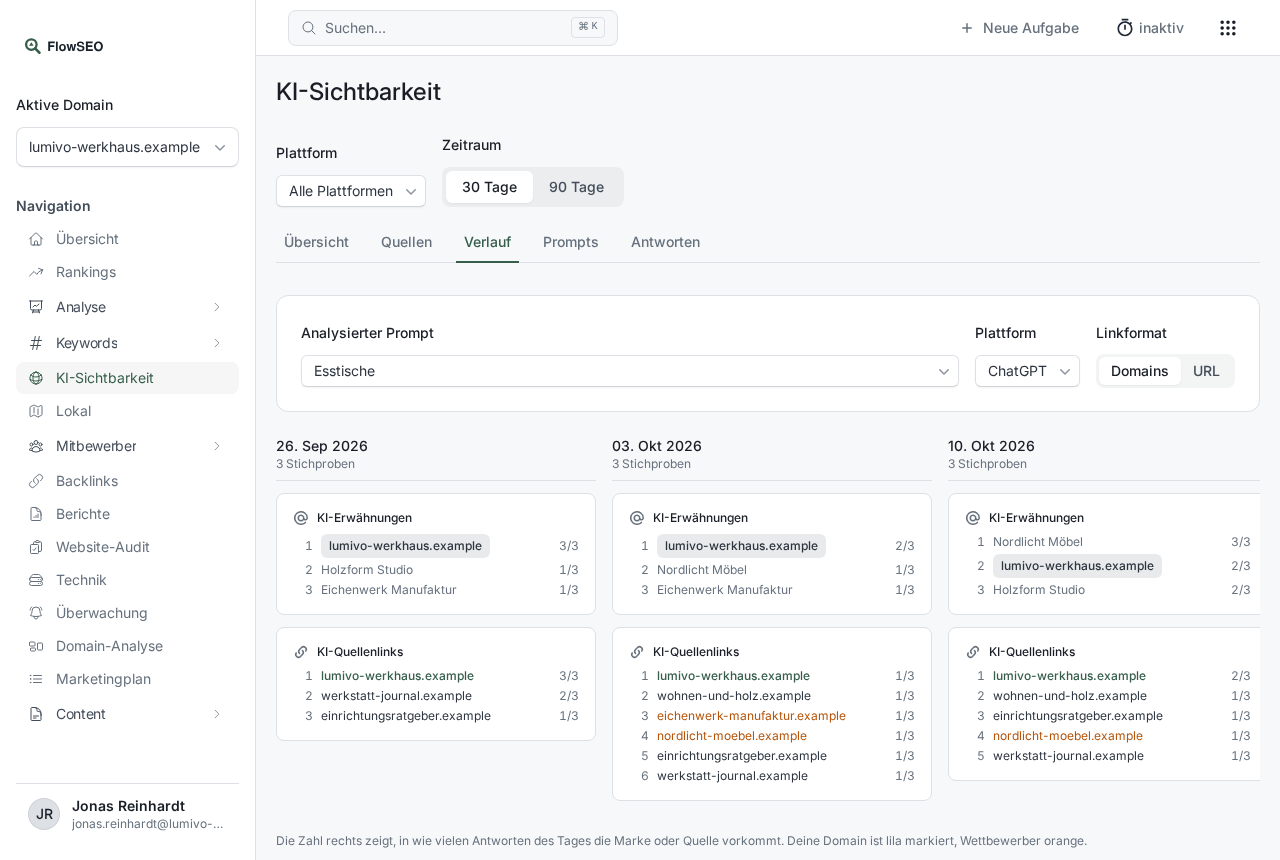
The Timeline shows, for a single question, who gets named instead of you, which websites the AI cites and since when you've been appearing.
Opening the timeline
- Open AI visibility and switch to the Timeline tab.
- Under Analysed prompt, choose the question. If it has a topic assigned, the selection shows the topic.
- Choose the platform, for example ChatGPT or Perplexity.
It's quicker from the Prompts tab: the calendar icon Show timeline opens the timeline with that question directly.
What you see
FlowSEO shows the last seven measured days side by side, with two lists per day:
- AI mentions: the brands that appear in that day's answers.
- AI source links: the websites or pages the AI gave as a source, the first ten per day.
The number on the right tells you in how many of that day's answers the brand or source appears. Each question is asked several times per measured day, which is why you might see 2 of 3, for example. Your domain is marked purple, competitors orange.
Use Link format to switch between Domains and the full URL.
How to use the timeline
- Who gets named instead of you? If the same competitor is at the top on several days and you're missing, take a look at the pages it has cited.
- Which sources keep coming up? A specialist site or forum that's cited again and again is a good place to be present. More on this in Analysing AI sources.
- Is a change working? If you've revised a page or placed an article on a specialist site, you can see here when it starts appearing as a source.
Special days
- No brand named: That day's answers don't name any brand at all.
- No AI Overview: Google didn't show an AI Overview on this day. This only applies to the Google AI Overview platform.
- Detected, not loaded: Google showed an AI Overview, but its content couldn't be loaded. It counts towards presence, not mentions.
- No answer: The platform didn't return an answer that could be analysed. Days like this don't count in the rates.
If you see “No measured days yet”, there hasn't been a run for this question on this platform. New questions get their first values with the next regular check.
Good to know
- Only our team sees AI answers word for word, and your agent doesn't get them either. The timeline shows the brands and sources identified from the answers.
- You manage questions in the browser or through your AI agent.