
The SEO analyst reads all the metrics of your domain, such as search analysis, monitoring, website audit, load times, local visibility and page analyses, and turns them into an action plan: what to tackle first and why. You'll find it in the left sidebar under Analysis, then SEO analyst.
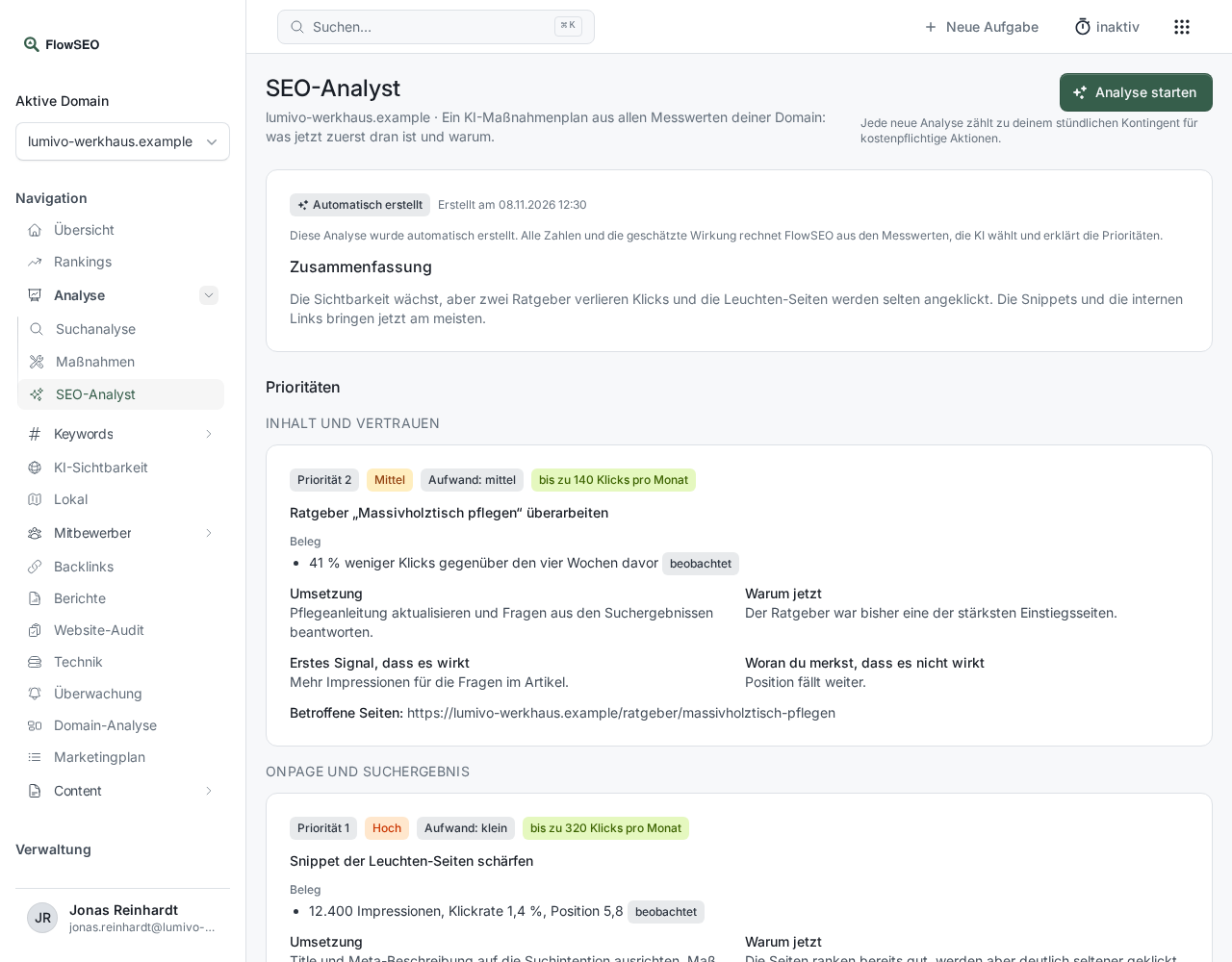
Start an analysis
Click Start analysis at the top right. It usually takes one to two minutes, and the result appears on the same page. Only one analysis can run per domain at a time. Each start counts towards the hourly limit.
What the result contains
- Summary: the situation in a few sentences.
- Priorities: grouped by area, each item with Evidence, Implementation, Why now, First signal that it works and How you'll know it isn't working, plus Effort and Estimated impact in clicks per month.
- What we're deliberately deferring and Open questions.
- Earlier priorities: how the items from the last analysis have developed.
- Data limits: areas without measurements. Not measured doesn't mean zero, the analysis makes no statement about them.
Under History you can reopen earlier analyses.
How reliable it is
The result carries the label Generated automatically. FlowSEO calculates all figures and the estimated impact from your metrics, the AI selects and explains the priorities. No person reviews it. So check whether a suggestion fits your business before you act on it.
If something doesn't work
- “No open items found”: The metrics show no task at the moment. Data limits shows you what isn't being measured yet.
- “The analysis failed”: Start a new one. The last completed analysis stays visible above it.