
Monitoring keeps an eye on your website and reports changes and problems as alerts. You'll find it in the left sidebar under Monitoring. The page is there for you to read.
Alerts
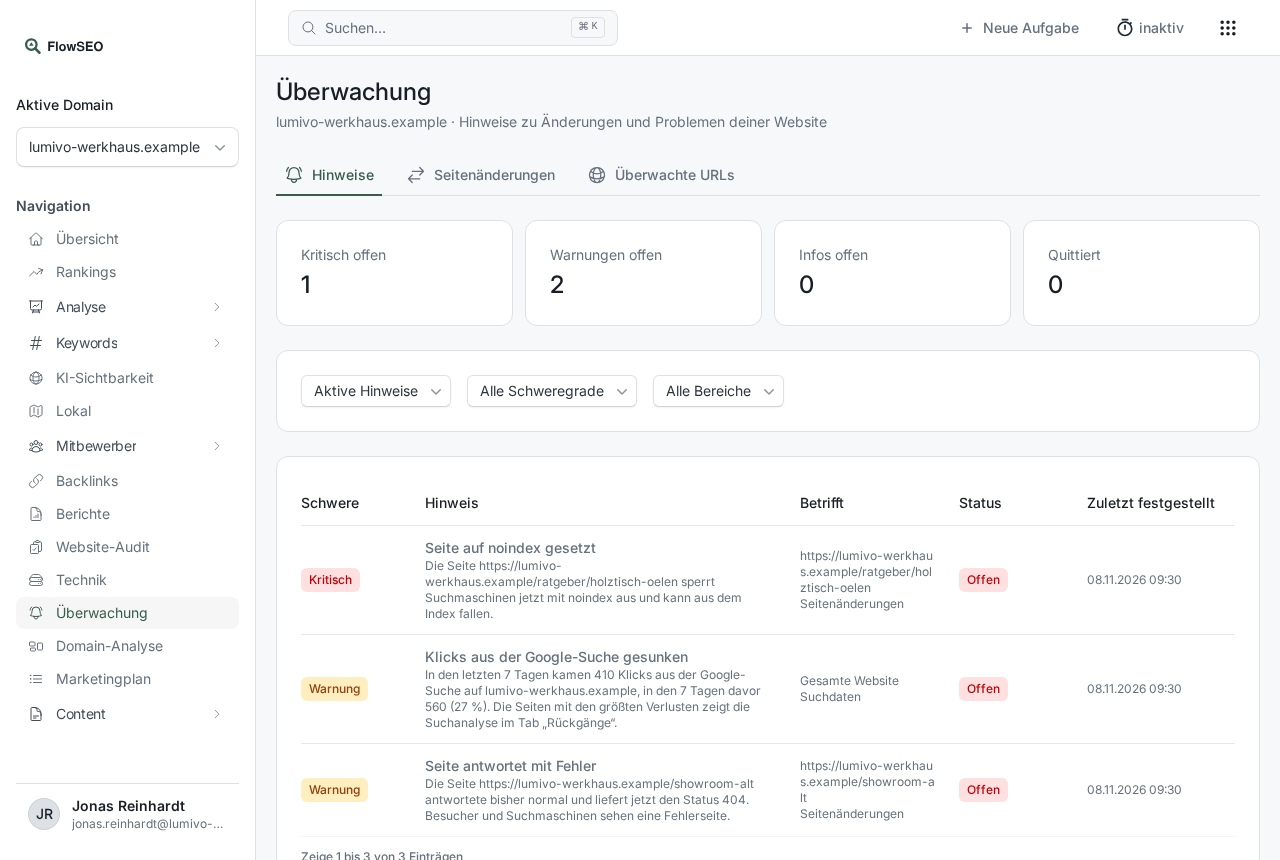
At the top you see Critical open, Warnings open, Info open and Acknowledged. Below that, FlowSEO lists each alert with Severity, Alert, Concerns, Status and Last detected. Use the filters to narrow it down by status, severity and area.
Typical alerts are a page that was set to noindex, a page that suddenly responds with an error or a drop in clicks from Google Search. An alert resolves itself when the problem is fixed or it expires.
With Acknowledge you mark an alert as handled, in the browser or through your AI agent. It then shows Acknowledged.
Notifications
Critical alerts go by email to the team of your domain and also appear as a notification in FlowSEO. Warnings appear only as a notification.
Page changes
In the Page changes tab, Before and after shows what changed on a monitored page, for example the title or status.
Monitored URLs
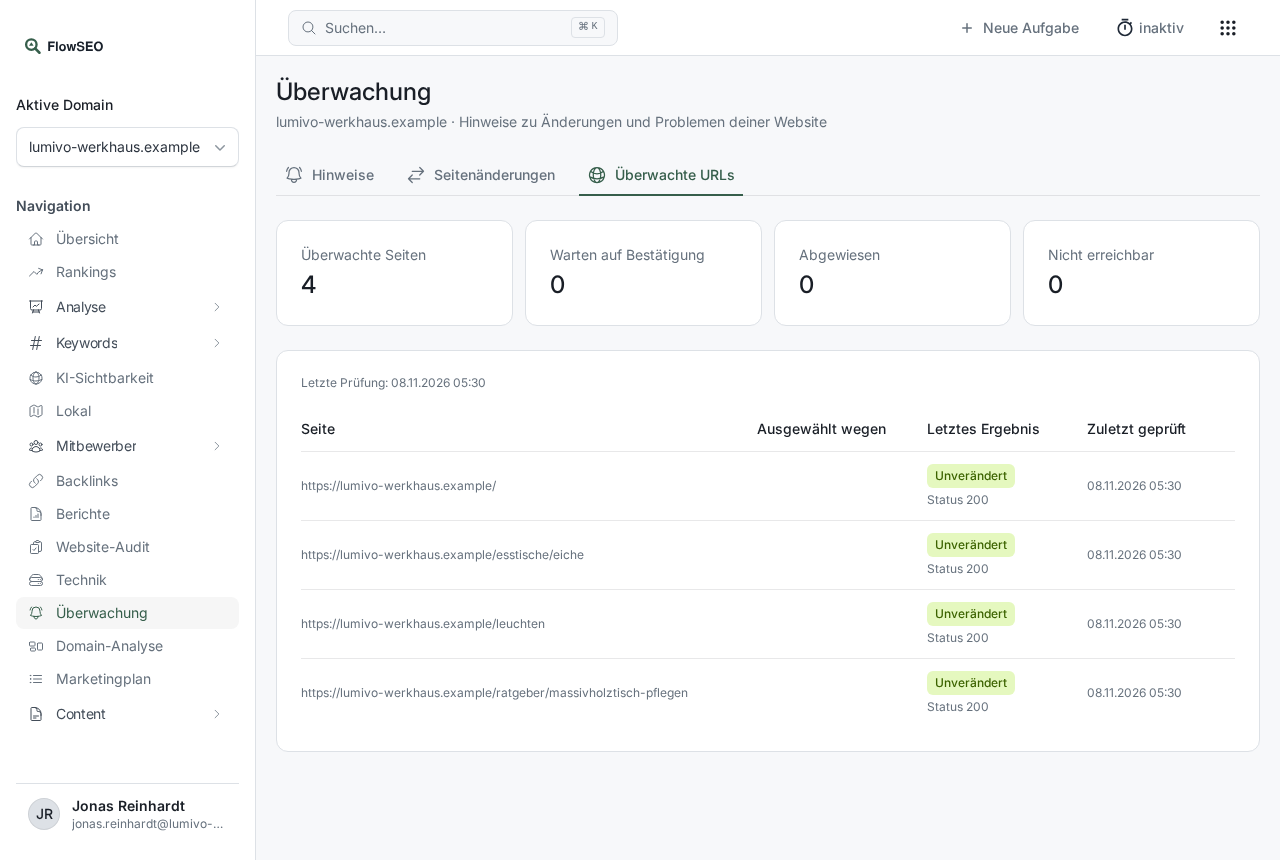
FlowSEO selects the pages automatically: your home page, the target pages of your keywords and published content. Selected because of gives the reason, Last result the status of the last check.
Good to know
- “No alerts”: There's nothing for the selected filters. New findings appear automatically.
- If your website blocks monitoring, for example with bot protection, FlowSEO says so in the Monitored URLs tab.
- Your AI agent can read alerts but not acknowledge them, see Limits of the agent.